> ## Documentation Index
> Fetch the complete documentation index at: https://docs.usedatabrain.com/llms.txt
> Use this file to discover all available pages before exploring further.
# API Token
> Generating API Token in DataBrain
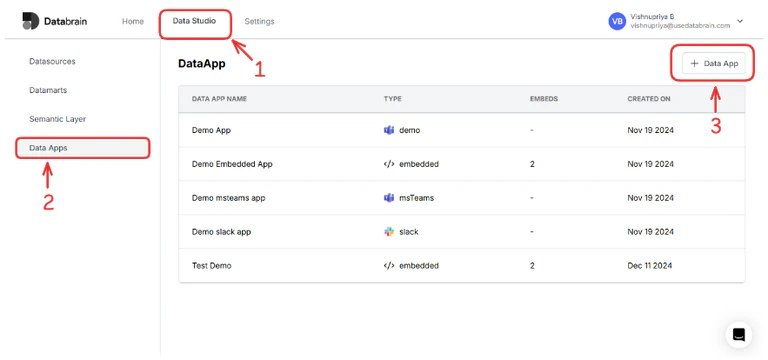
Navigate to the **Data tab > Data Apps** and then click on **New Data App** button.
 This modal will appear:
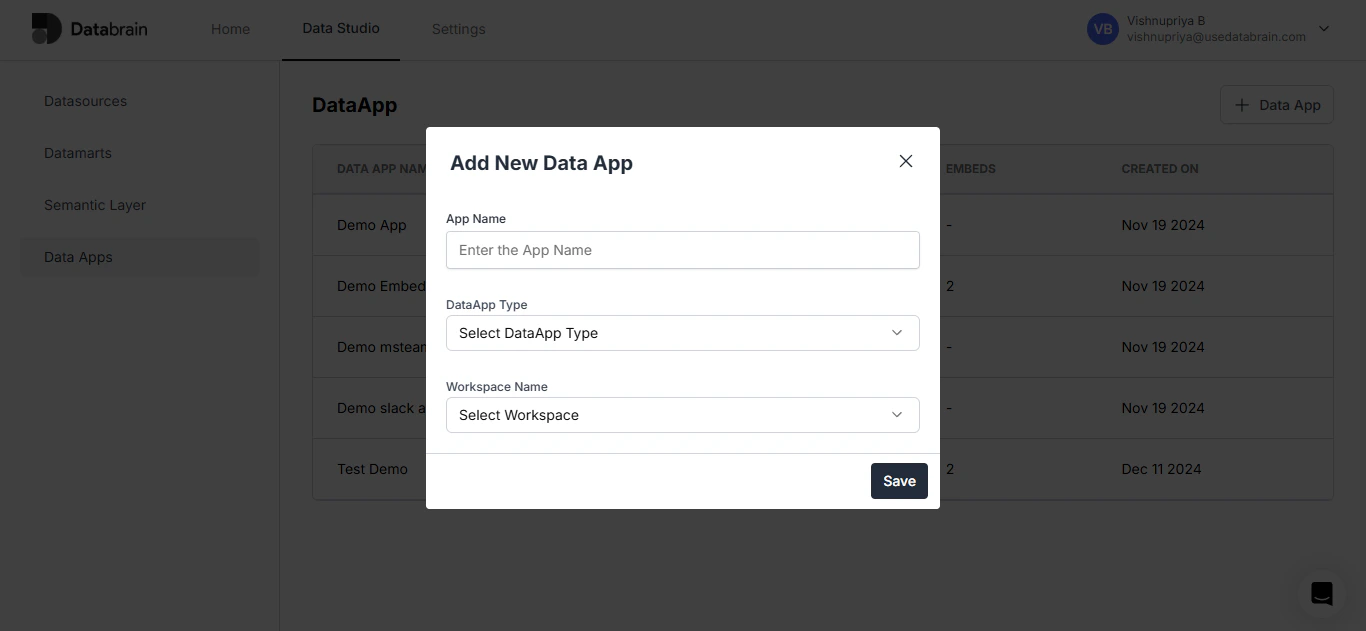 Provide a relevant name and select DataApp Type as **embedded** and click on save. You will be navigated to the below screen. Then, proceed to the **API Token tab** and click on **Generate Token**.
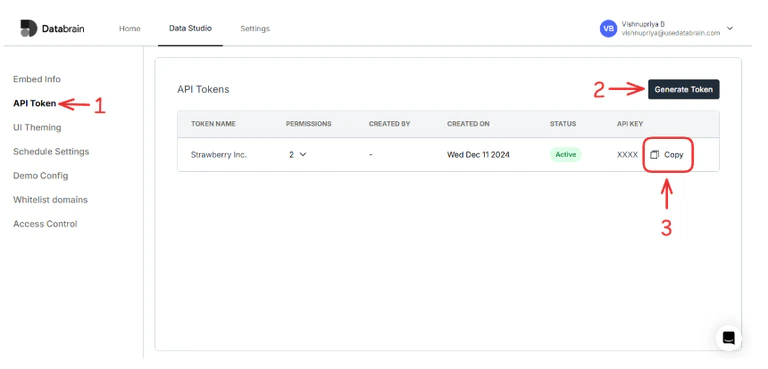
You'll be prompted to provide a **Name** and **Description** for your token. Once it's generated, you can conveniently copy the token for your use.
Provide a relevant name and select DataApp Type as **embedded** and click on save. You will be navigated to the below screen. Then, proceed to the **API Token tab** and click on **Generate Token**.
You'll be prompted to provide a **Name** and **Description** for your token. Once it's generated, you can conveniently copy the token for your use.