> ## Documentation Index
> Fetch the complete documentation index at: https://docs.usedatabrain.com/llms.txt
> Use this file to discover all available pages before exploring further.
# Gemini
### Step 1: Configure Gemini
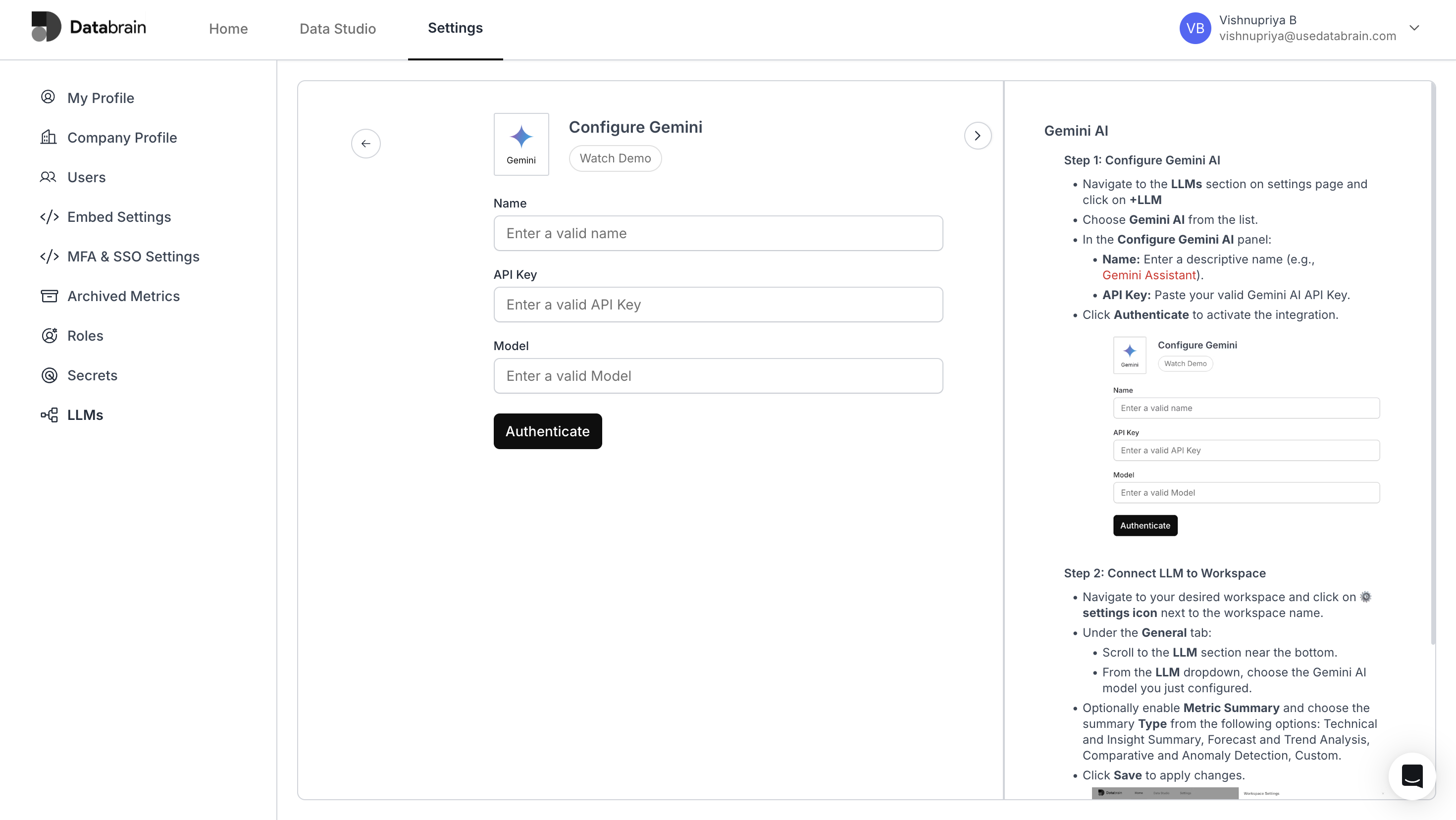
Navigate to the **LLMs** section on the **Settings** page and click on **+LLM**.
Choose **Gemini** from the list.
In the **Configure Gemini** panel:
* **Name**: Enter a descriptive name (e.g., `Gemini Workspace Assistant`).
* **API Key**: Paste your valid **Gemini API Key**.
* **Model**: Enter the **Gemini model name** you want to use (e.g., `gemini-1.5-pro`).
Click **Authenticate** to activate the integration.
 ***
### Step 2: Connect LLM to Workspace
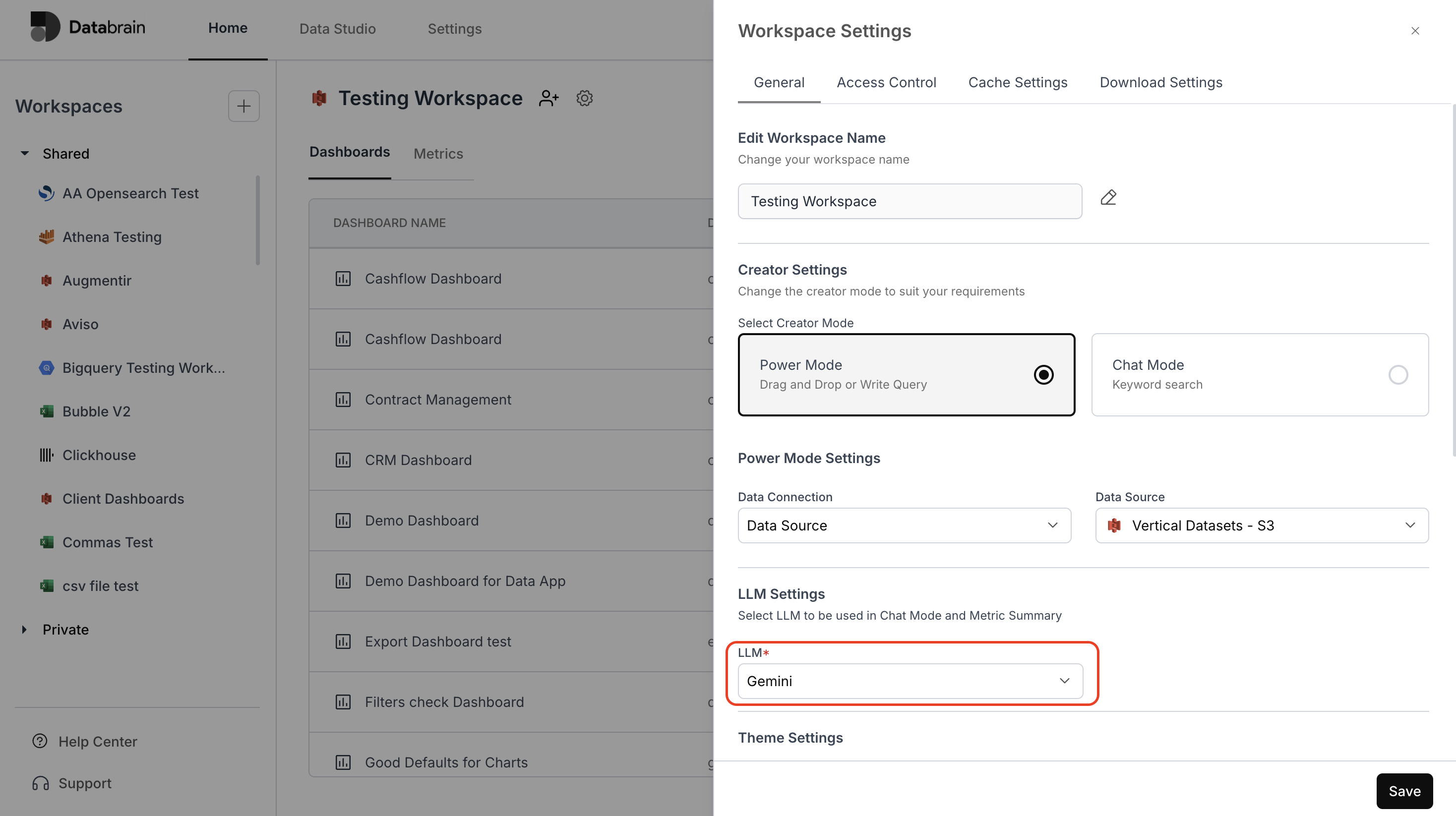
Navigate to your desired **workspace** and click on the ⚙️ **settings icon** next to the workspace name.
Under the **General** tab:
* Scroll to the **LLM** section near the bottom.
* From the **LLM dropdown**, choose the **Gemini model** you just configured.
Optionally enable **Metric Summary** and choose the summary **Type** from the following options:
* *Technical and Insight Summary*
* *Forecast and Trend Analysis*
* *Comparative and Anomaly Detection*
* *Custom*
Click **Save** to apply changes.
***
### Step 2: Connect LLM to Workspace
Navigate to your desired **workspace** and click on the ⚙️ **settings icon** next to the workspace name.
Under the **General** tab:
* Scroll to the **LLM** section near the bottom.
* From the **LLM dropdown**, choose the **Gemini model** you just configured.
Optionally enable **Metric Summary** and choose the summary **Type** from the following options:
* *Technical and Insight Summary*
* *Forecast and Trend Analysis*
* *Comparative and Anomaly Detection*
* *Custom*
Click **Save** to apply changes.
 You’ve successfully connected Gemini with your Databrain workspace!\
Your integration is now active — empowering you to leverage Gemini’s LLM capabilities for advanced metric summaries, contextual insights, and intelligent data exploration within your dashboards.
You’ve successfully connected Gemini with your Databrain workspace!\
Your integration is now active — empowering you to leverage Gemini’s LLM capabilities for advanced metric summaries, contextual insights, and intelligent data exploration within your dashboards.