> ## Documentation Index
> Fetch the complete documentation index at: https://docs.usedatabrain.com/llms.txt
> Use this file to discover all available pages before exploring further.
# Open AI
### Step 1: Configure Open AI
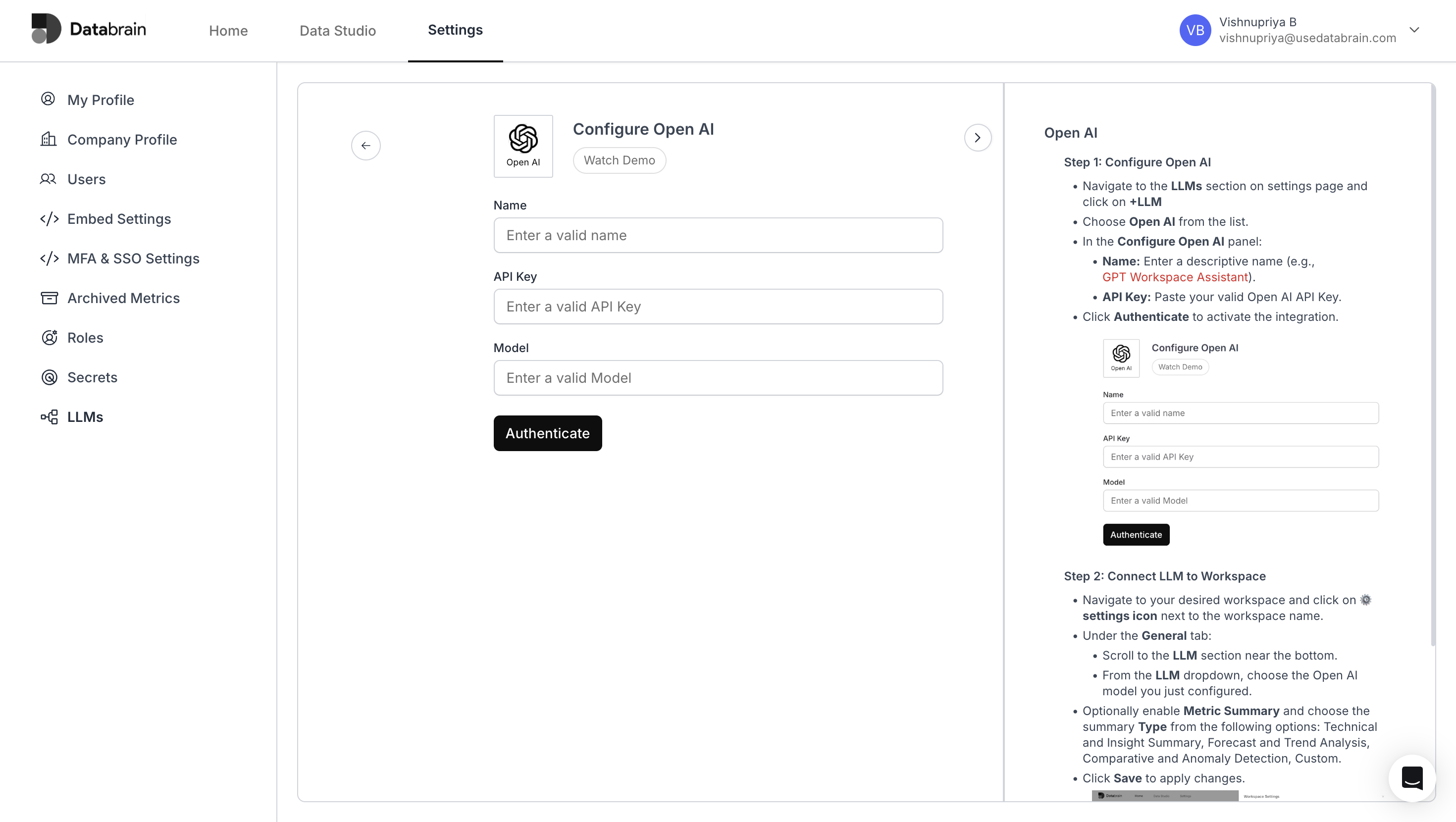
Navigate to the **LLMs** section on the settings page and click on **+LLM**.
Choose Open AI from the list.
In the **Configure Open AI** panel:
* **Name**: Enter a descriptive name (e.g., `GPT Workspace Assistant`).
* **API Key**: Paste your valid Open AI API Key.
Click **Authenticate** to activate the integration.
 ### Step 2: Connect LLM to Workspace
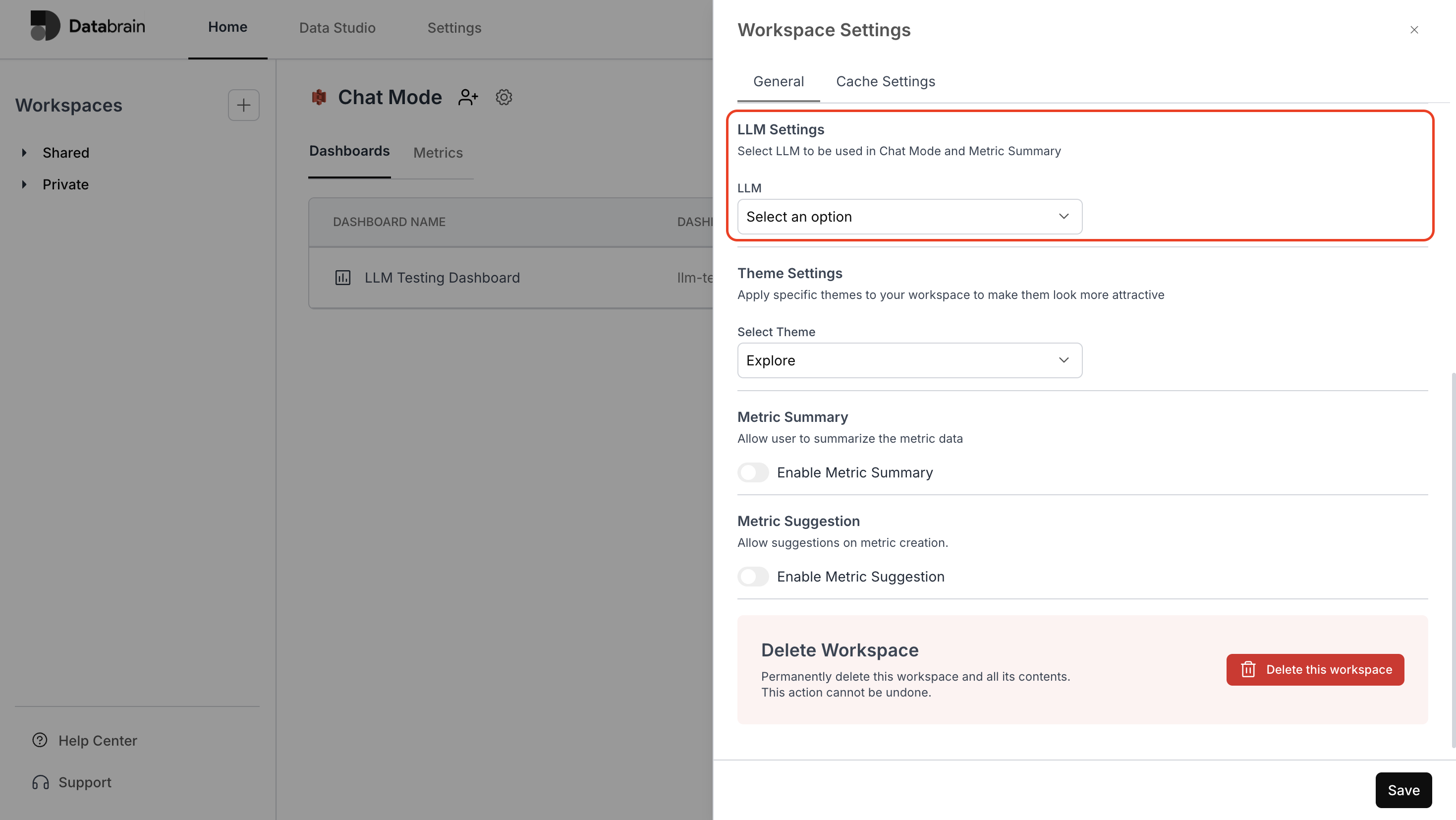
Navigate to your desired workspace and click on the **⚙️ settings icon** next to the workspace name.
Under the **General** tab:
* Scroll to the **LLM** section near the bottom
* From the **LLM** dropdown, choose the Open AI model you just configured
Optionally enable **Metric Summary** and choose the summary **Type** from the following options:\
Technical and Insight Summary, Forecast and Trend Analysis, Comparative and Anomaly Detection, Custom.
Click **Save** to apply changes.
### Step 2: Connect LLM to Workspace
Navigate to your desired workspace and click on the **⚙️ settings icon** next to the workspace name.
Under the **General** tab:
* Scroll to the **LLM** section near the bottom
* From the **LLM** dropdown, choose the Open AI model you just configured
Optionally enable **Metric Summary** and choose the summary **Type** from the following options:\
Technical and Insight Summary, Forecast and Trend Analysis, Comparative and Anomaly Detection, Custom.
Click **Save** to apply changes.
 You’ve successfully connected Open AI with your Databrain workspace!\
Your LLM integration is now active — enabling automated metric summaries, insights, and intelligent data exploration across your dashboards.
You’ve successfully connected Open AI with your Databrain workspace!\
Your LLM integration is now active — enabling automated metric summaries, insights, and intelligent data exploration across your dashboards.