> ## Documentation Index
> Fetch the complete documentation index at: https://docs.usedatabrain.com/llms.txt
> Use this file to discover all available pages before exploring further.
# Metric ID
> Accessing the Metric ID
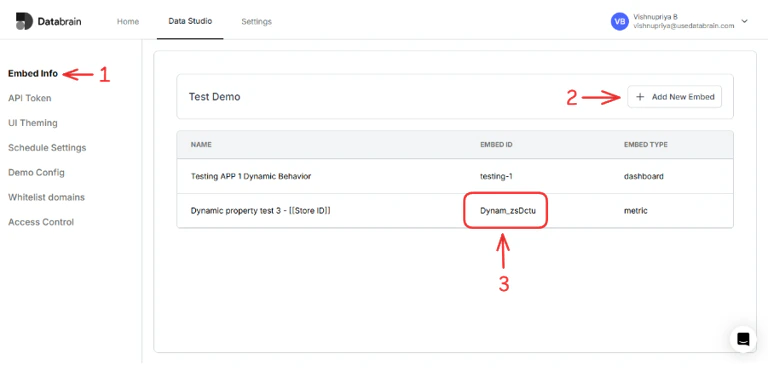
In the Data App that you created (see API Token to know more about how to create a data app), click on Embed Info > Add New Embed. Provide the **workspace name**, select embed type as **metric**, provide the **dashboard** which includes that metric and then metric to get the metric id.
The Embed ID is the metric id that you can use.