> ## Documentation Index
> Fetch the complete documentation index at: https://docs.usedatabrain.com/llms.txt
> Use this file to discover all available pages before exploring further.
# License Key Validation for Self-Hosted App
> This guide is essential for self-hosted app users, detailing the process of license key validation and renewal.
### For Logged-In Users:
1. **Free Trial Period**
* Upon starting the app, **a temporary license key** will be issued, providing access for a **15-day free trial period**.
* During this trial, you will have full access to all features of the app.
2. **Post-Trial Access**
At the end of the 15-day trial period, the temporary license key will automatically **expire**, and access to the app will be restricted.
3. **Requesting a New License Key**
* To continue using the app beyond the trial period, a **new license key** is required.
* Please share the app key with **our support team** in order to initiate the renewal process.
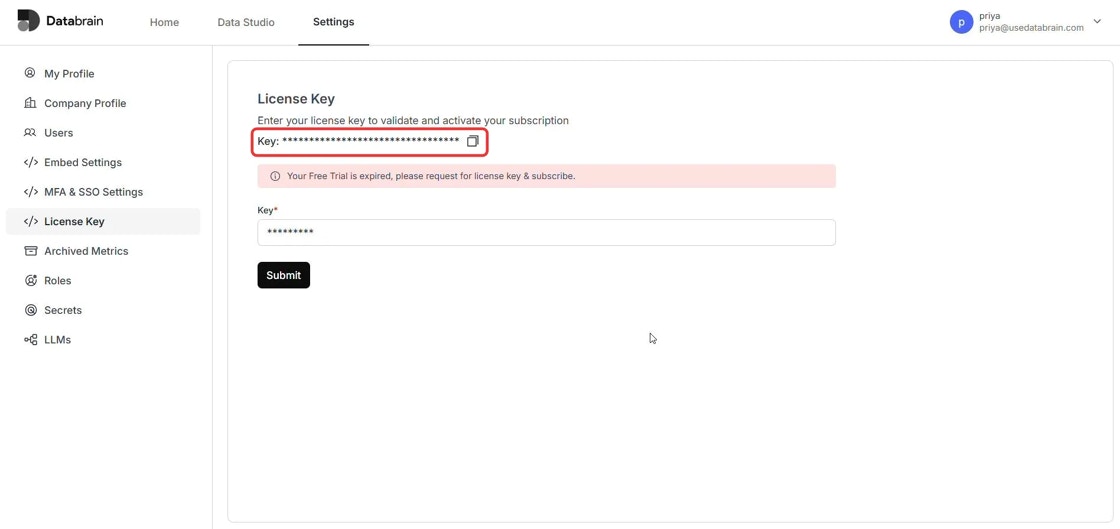 4. **License Key Renewal Process**
* Upon receiving the expired key, **our team** will generate and provide a new license key.
* This key will enable continued access to the app under the purchased plan.
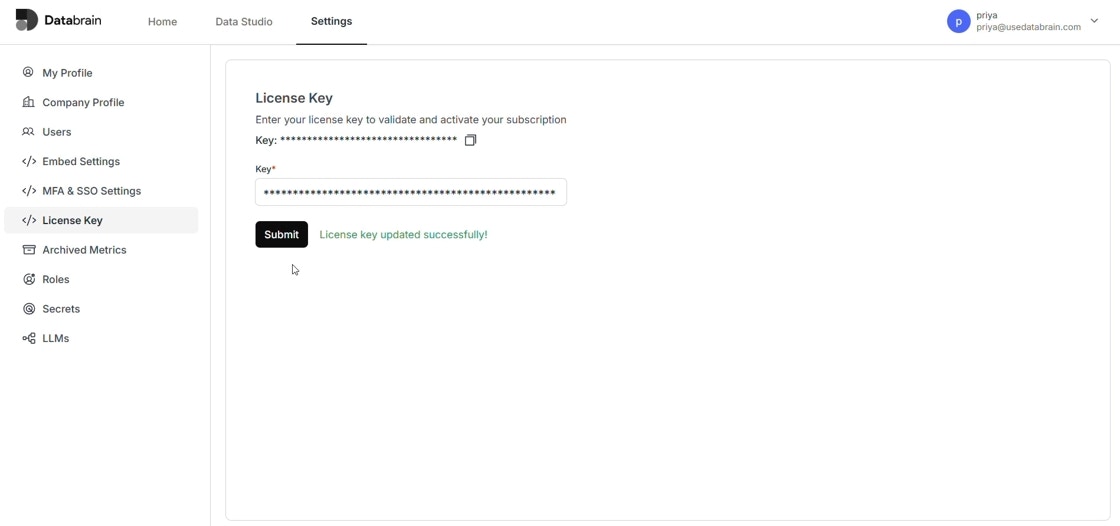
5. **Re-authentication**
* Once the new license key is received, kindly proceed to **re-authenticate** the app using the updated key.
* Successful authentication will restore full access and ensure uninterrupted usage.
4. **License Key Renewal Process**
* Upon receiving the expired key, **our team** will generate and provide a new license key.
* This key will enable continued access to the app under the purchased plan.
5. **Re-authentication**
* Once the new license key is received, kindly proceed to **re-authenticate** the app using the updated key.
* Successful authentication will restore full access and ensure uninterrupted usage.
 ### For New Sign-Ins:
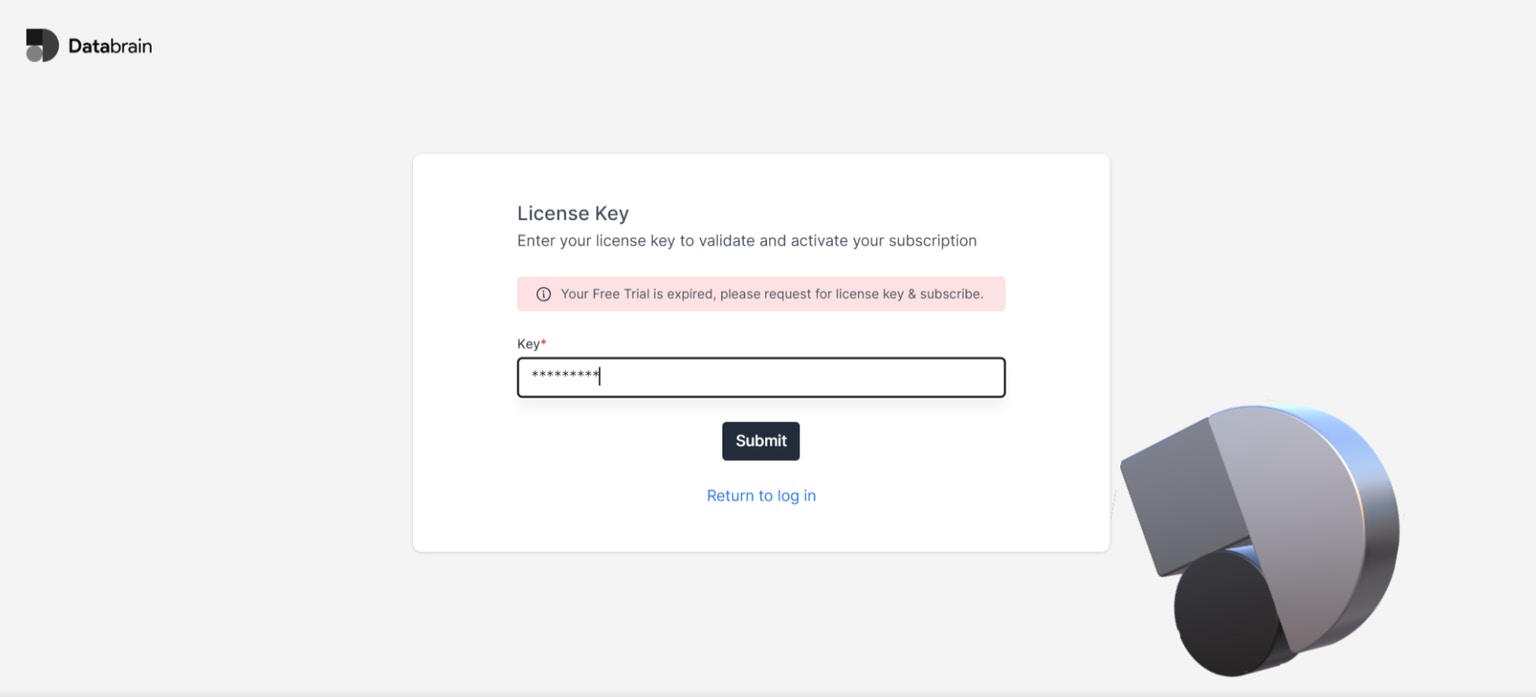
1. **Initial Login:** Upon your first login, you will be prompted to enter the license key.
2. **Enter License Key:** Paste your license key in the designated field and click 'Submit'.
3. **Re-authentication:** After submission, you will need to sign in again to activate your license.
### For New Sign-Ins:
1. **Initial Login:** Upon your first login, you will be prompted to enter the license key.
2. **Enter License Key:** Paste your license key in the designated field and click 'Submit'.
3. **Re-authentication:** After submission, you will need to sign in again to activate your license.
 ### License Validity and Renewal
* **Activation:** Your instance will remain active for the duration of your license key’s validity.
* **Renewal Reminder:** Please note that the license key is valid until the specified expiry date. You will need to repeat these steps to update the license key upon expiration.
### License Validity and Renewal
* **Activation:** Your instance will remain active for the duration of your license key’s validity.
* **Renewal Reminder:** Please note that the license key is valid until the specified expiry date. You will need to repeat these steps to update the license key upon expiration.