> ## Documentation Index
> Fetch the complete documentation index at: https://docs.usedatabrain.com/llms.txt
> Use this file to discover all available pages before exploring further.
# Manage Metrics
> Allow end user to manage metrics from embedded dashboard.
**Manage Metrics changes are per-dashboard, not per-viewer.** If multiple customers share the same embedded dashboard, one customer unchecking a metric hides it for **every** customer viewing that dashboard. Only enable Manage Metrics for end users on shared dashboards if that is acceptable — for per-customer metric selection, give each customer their own dashboard using the master + client dashboards pattern in the [Tenancy Model](/developer-docs/tenancy-model#master--client-dashboards-pattern).
By Default, all metrics are marked as mandatory to dashboard, to allow end user to archive metric from dashboard, mark the allowed metric on Save to Dashboard form & save it.
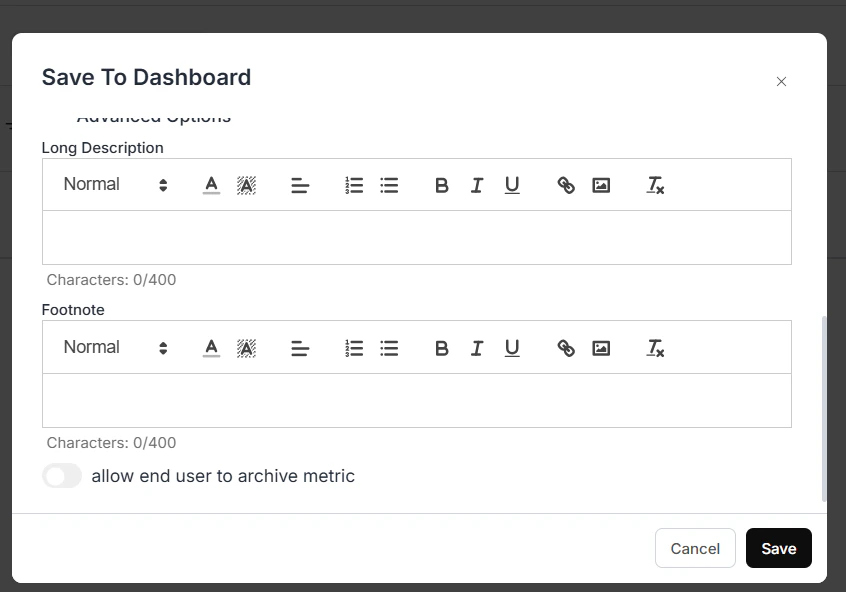 allow end user to archive metric
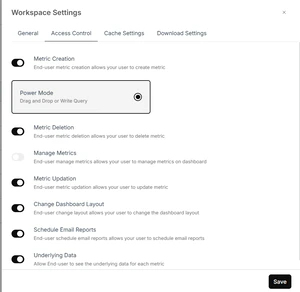
Enable Manage Metric for end user from **Workspace Settings**
allow end user to archive metric
Enable Manage Metric for end user from **Workspace Settings**
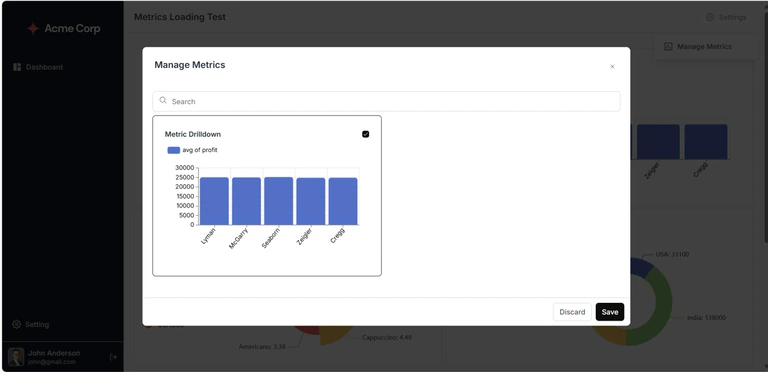
 End user can archive/unarchive metrics from manage metric in embedded dashboard settings