> ## Documentation Index
> Fetch the complete documentation index at: https://docs.usedatabrain.com/llms.txt
> Use this file to discover all available pages before exploring further.
# Welcome to DataBrain
> Embed powerful analytics dashboards into your application in minutes
 ## What is DataBrain?
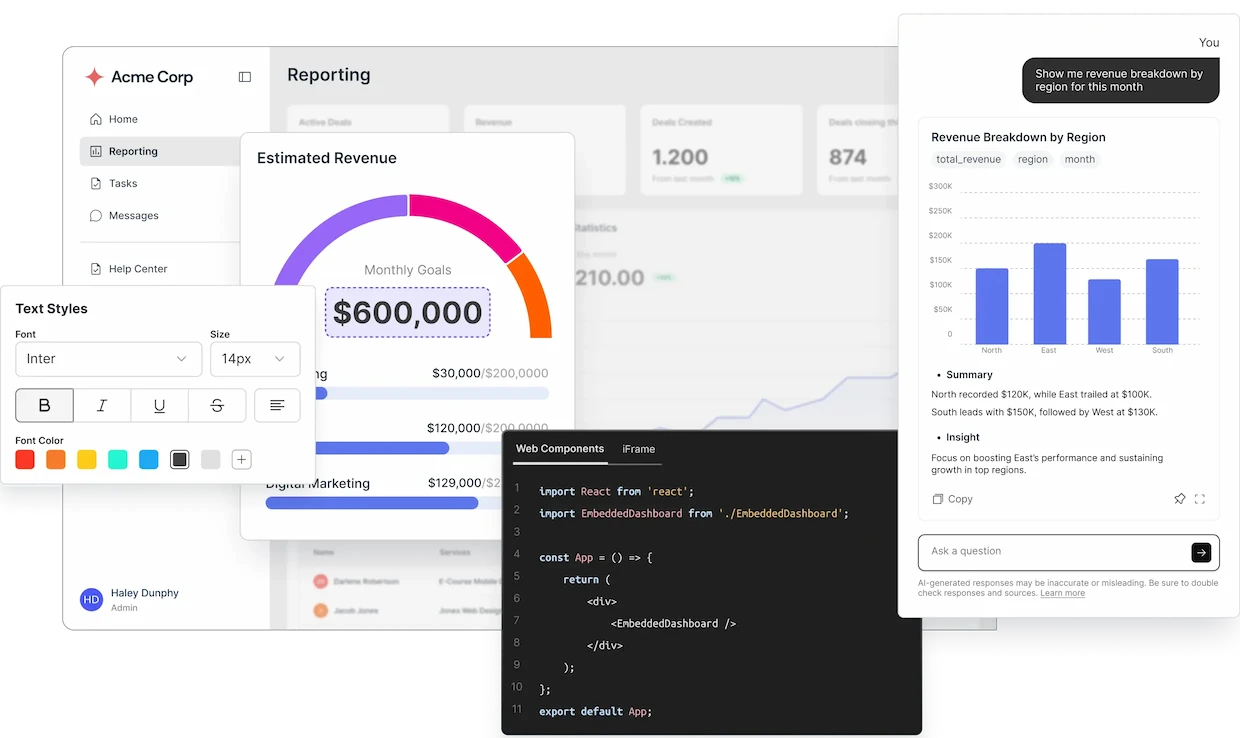
DataBrain is a powerful embedded analytics platform that enables you to integrate beautiful, interactive dashboards and metrics into your application with minimal code. Whether you're building a SaaS platform, internal tool, or customer-facing analytics, DataBrain provides the infrastructure and components you need.
Learn how DataBrain helps you build and manage analytics dashboards
Get started embedding DataBrain into your application
Complete guide to using the DataBrain platform
Comprehensive API documentation for developers
## Why Choose DataBrain?
Embed dashboards and metrics with just a few lines of code. Our NPM package works seamlessly with React, Vue, Angular, and more.
Match your brand with extensive theming options. Customize colors, layouts, and component behavior.
Built-in multi-tenancy, row-level security, and SSO support ensure your data stays secure.
Enable natural language queries with our AI chat mode. Let users ask questions and get instant answers.
Support for 20+ chart types including bar, line, pie, scatter, heatmaps, and more.
Deploy on your infrastructure or use our cloud service. Full control over your data.
## Quick Links
Embed your first dashboard
Set up analytics with your AI assistant
Understand key concepts
React, Vue, Angular & more
## Popular Use Cases
Provide your customers with powerful analytics dashboards inside your application. Support multi-tenancy with row-level security to ensure data isolation.
**Perfect for:** B2B SaaS platforms, Multi-tenant applications
Build custom business intelligence dashboards for your team. Connect to multiple data sources and create comprehensive reporting solutions.
**Perfect for:** Data teams, Operations, Executive reporting
Give your customers insights into their data with beautiful, interactive dashboards. Customize the look and feel to match your brand.
**Perfect for:** Customer portals, Self-service analytics
Rebrand DataBrain completely to match your product. Full control over theming, domain, and user experience.
**Perfect for:** OEM partners, Resellers, Product integrations
## Getting Started Paths
**Start here if you want to:**
* Create dashboards and metrics
* Connect data sources
* Build reports
* Manage workspaces
[Go to Platform Guides →](/guides/onboarding-and-configuration/sign-up)
**Start here if you want to:**
* Embed dashboards in your app
* Use the NPM package or MCP server
* Integrate with your codebase
* Set up analytics via AI assistant
[Go to Developer Docs →](/developer-docs) | [Try MCP Server →](/developer-docs/mcp-server/overview)
## What You'll Learn
Learn about workspaces, dashboards, metrics, data apps, and datamarts
Connect to databases, warehouses, or upload CSV files
Create interactive dashboards with drag-and-drop simplicity
Integrate DataBrain into your application with our developer tools
## Community & Support
Comprehensive guides and API references
Latest updates, tutorials, and best practices
Try DataBrain components live
Get help from our team
## Ready to Get Started?
Create your free account and start building dashboards
Follow our 5-minute embedding tutorial
## What is DataBrain?
DataBrain is a powerful embedded analytics platform that enables you to integrate beautiful, interactive dashboards and metrics into your application with minimal code. Whether you're building a SaaS platform, internal tool, or customer-facing analytics, DataBrain provides the infrastructure and components you need.
Learn how DataBrain helps you build and manage analytics dashboards
Get started embedding DataBrain into your application
Complete guide to using the DataBrain platform
Comprehensive API documentation for developers
## Why Choose DataBrain?
Embed dashboards and metrics with just a few lines of code. Our NPM package works seamlessly with React, Vue, Angular, and more.
Match your brand with extensive theming options. Customize colors, layouts, and component behavior.
Built-in multi-tenancy, row-level security, and SSO support ensure your data stays secure.
Enable natural language queries with our AI chat mode. Let users ask questions and get instant answers.
Support for 20+ chart types including bar, line, pie, scatter, heatmaps, and more.
Deploy on your infrastructure or use our cloud service. Full control over your data.
## Quick Links
Embed your first dashboard
Set up analytics with your AI assistant
Understand key concepts
React, Vue, Angular & more
## Popular Use Cases
Provide your customers with powerful analytics dashboards inside your application. Support multi-tenancy with row-level security to ensure data isolation.
**Perfect for:** B2B SaaS platforms, Multi-tenant applications
Build custom business intelligence dashboards for your team. Connect to multiple data sources and create comprehensive reporting solutions.
**Perfect for:** Data teams, Operations, Executive reporting
Give your customers insights into their data with beautiful, interactive dashboards. Customize the look and feel to match your brand.
**Perfect for:** Customer portals, Self-service analytics
Rebrand DataBrain completely to match your product. Full control over theming, domain, and user experience.
**Perfect for:** OEM partners, Resellers, Product integrations
## Getting Started Paths
**Start here if you want to:**
* Create dashboards and metrics
* Connect data sources
* Build reports
* Manage workspaces
[Go to Platform Guides →](/guides/onboarding-and-configuration/sign-up)
**Start here if you want to:**
* Embed dashboards in your app
* Use the NPM package or MCP server
* Integrate with your codebase
* Set up analytics via AI assistant
[Go to Developer Docs →](/developer-docs) | [Try MCP Server →](/developer-docs/mcp-server/overview)
## What You'll Learn
Learn about workspaces, dashboards, metrics, data apps, and datamarts
Connect to databases, warehouses, or upload CSV files
Create interactive dashboards with drag-and-drop simplicity
Integrate DataBrain into your application with our developer tools
## Community & Support
Comprehensive guides and API references
Latest updates, tutorials, and best practices
Try DataBrain components live
Get help from our team
## Ready to Get Started?
Create your free account and start building dashboards
Follow our 5-minute embedding tutorial