> ## Documentation Index
> Fetch the complete documentation index at: https://docs.usedatabrain.com/llms.txt
> Use this file to discover all available pages before exploring further.
# Add LHS and RHS custom sql support for dashboard filter
> This guide is essential for users looking to enhance their dashboard's filtering capabilities with custom SQL support.
### 1. Create a Dashboard Filter
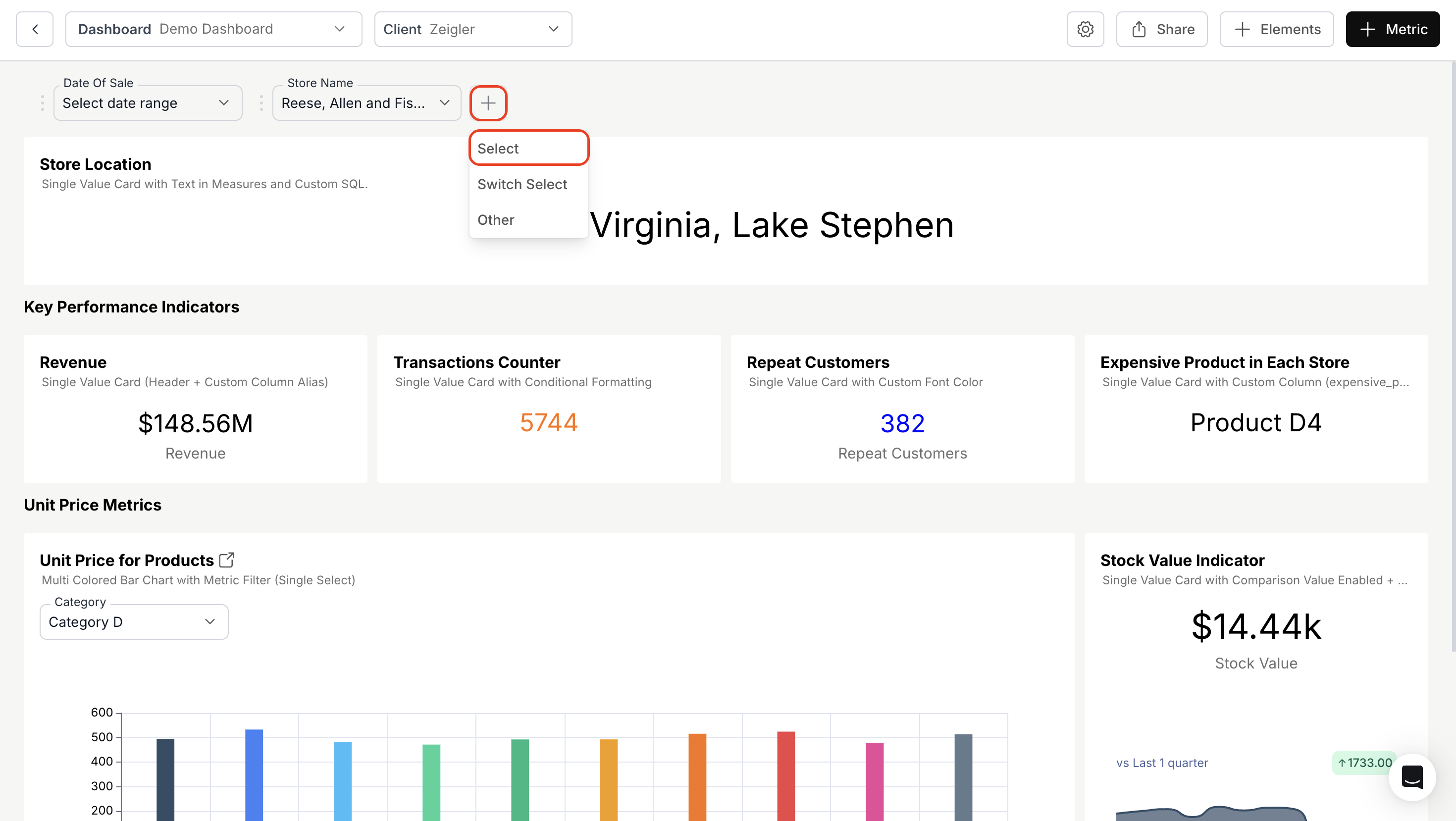
Click the **'+' icon** to add a new filter and choose the **'Select'** option to configure the filter.
 > **Use case:**\
> Adding LHS (Left-Hand Side) and RHS (Right-Hand Side) custom SQL allows dynamic filtering.\
> For example, you can search for product names dynamically by applying transformations in the `WHERE` clause using the `{{global_selected_values}}` variable.
### 2. Use `{{global_selected_values}}` in the "Apply on" section
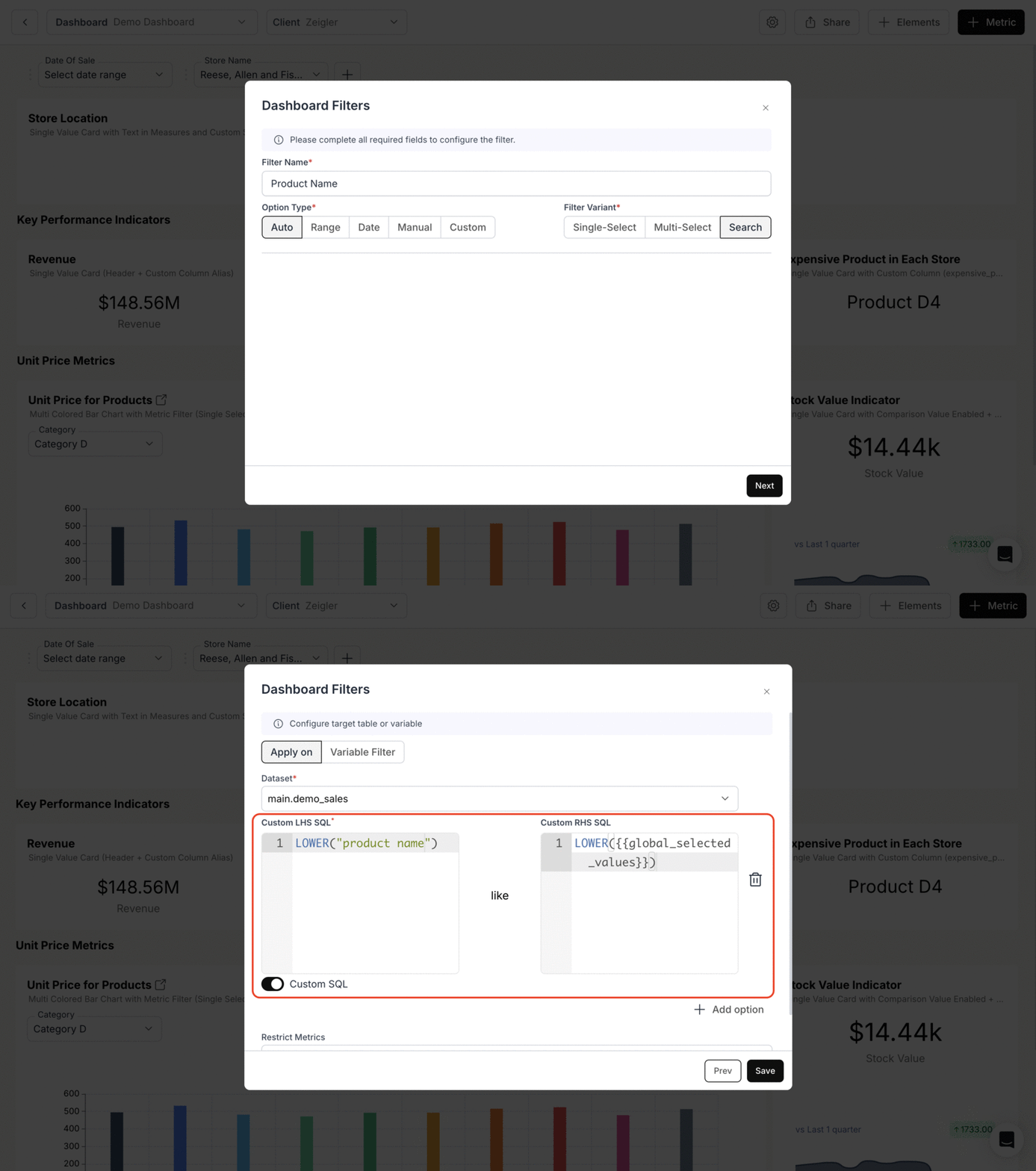
Apply transformations like `CONCAT()`, `LOWER()`, and `UPPER()` in **Custom RHS SQL** using `{{global_selected_values}}`
> **Use case:**\
> Adding LHS (Left-Hand Side) and RHS (Right-Hand Side) custom SQL allows dynamic filtering.\
> For example, you can search for product names dynamically by applying transformations in the `WHERE` clause using the `{{global_selected_values}}` variable.
### 2. Use `{{global_selected_values}}` in the "Apply on" section
Apply transformations like `CONCAT()`, `LOWER()`, and `UPPER()` in **Custom RHS SQL** using `{{global_selected_values}}`
 ### 3. View the Results of Custom LHS and RHS SQL
When a user searches for a product name, `{{global_selected_values}}` dynamically fetches the corresponding values, regardless of case sensitivity or type casting.
### 3. View the Results of Custom LHS and RHS SQL
When a user searches for a product name, `{{global_selected_values}}` dynamically fetches the corresponding values, regardless of case sensitivity or type casting.
 LHS and RHS custom SQL added and configured successfully.