> ## Documentation Index
> Fetch the complete documentation index at: https://docs.usedatabrain.com/llms.txt
> Use this file to discover all available pages before exploring further.
# Share Dashboard
> Sharing dashboards allows for easy collaboration and data presentation.
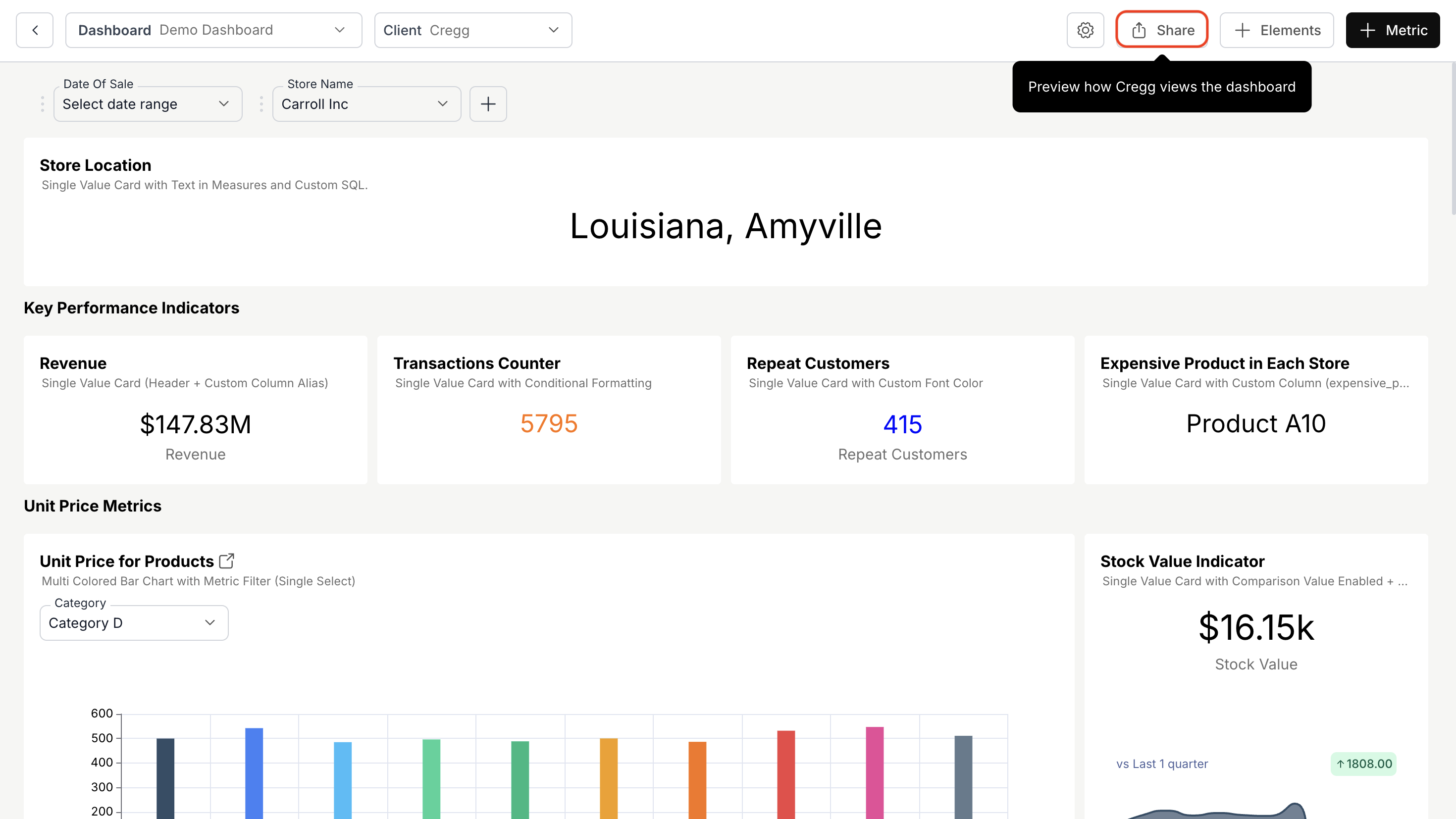
1. **Navigate to Dashboard and Initiate Sharing**
* Open the **dashboard** you want to share.
* Click the **"Share"** button next to the **"Elements"** button.
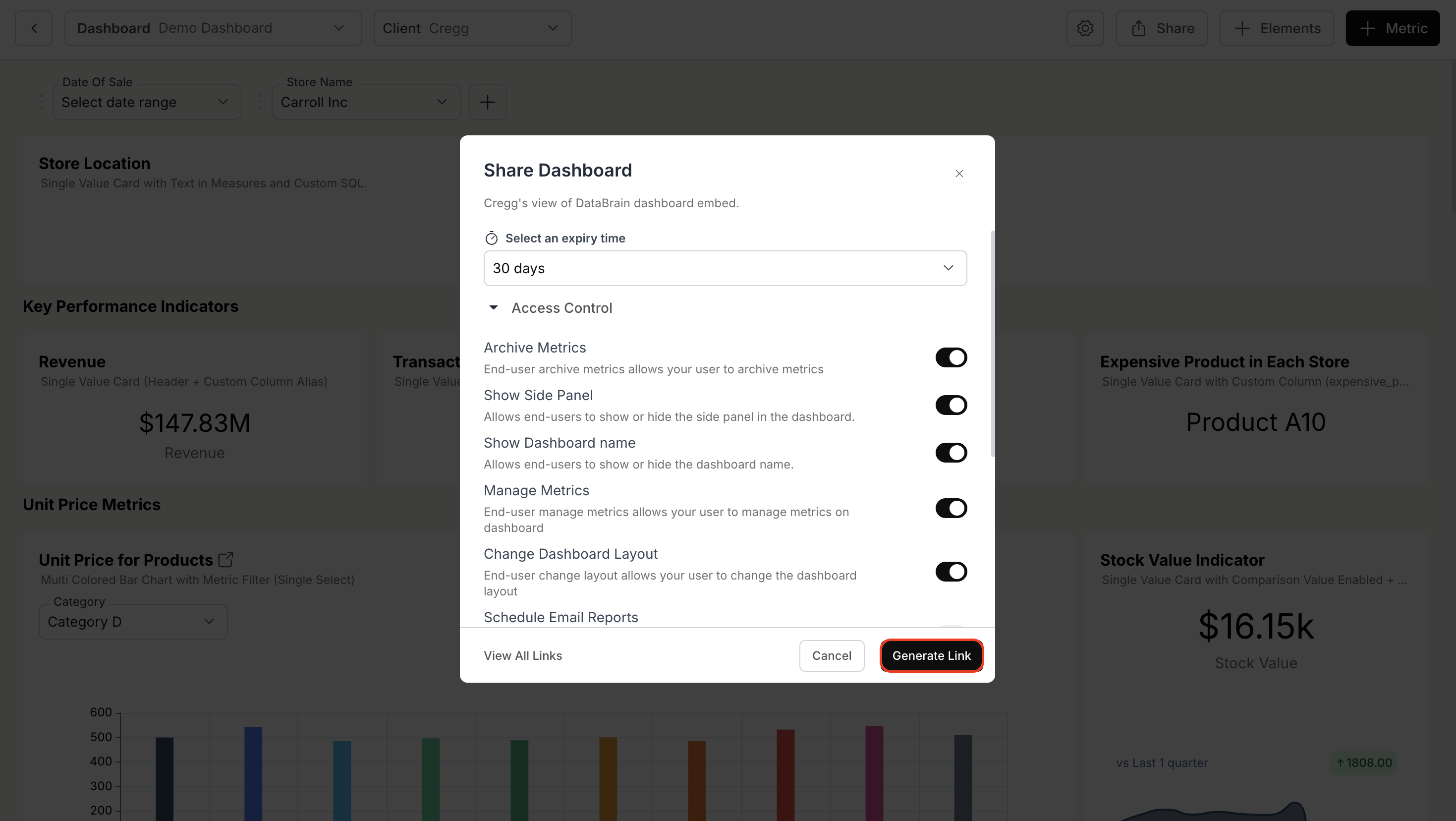
 2. **Generate a Shareable Link**
* Choose an **expiry time** for the shared dashboard.
* Set **access controls** to define user permissions.
* Click **"Generate Link"** to create a shareable URL.
2. **Generate a Shareable Link**
* Choose an **expiry time** for the shared dashboard.
* Set **access controls** to define user permissions.
* Click **"Generate Link"** to create a shareable URL.
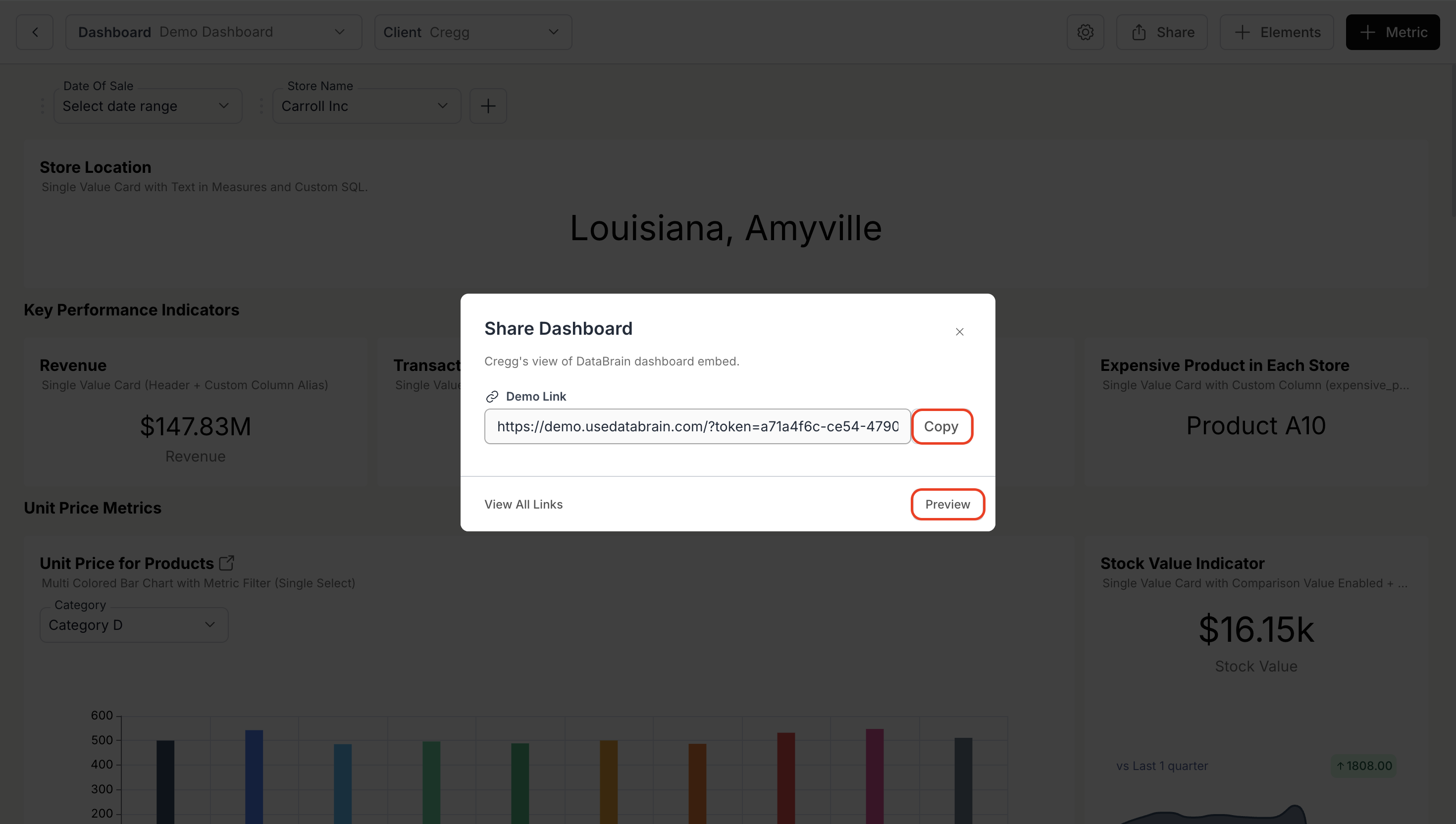
 3. **Access Link**
* Click **"Copy"** to save the generated link to your clipboard.
* To preview the shared dashboard, click **"Preview"** or paste the copied link into a browser.
3. **Access Link**
* Click **"Copy"** to save the generated link to your clipboard.
* To preview the shared dashboard, click **"Preview"** or paste the copied link into a browser.
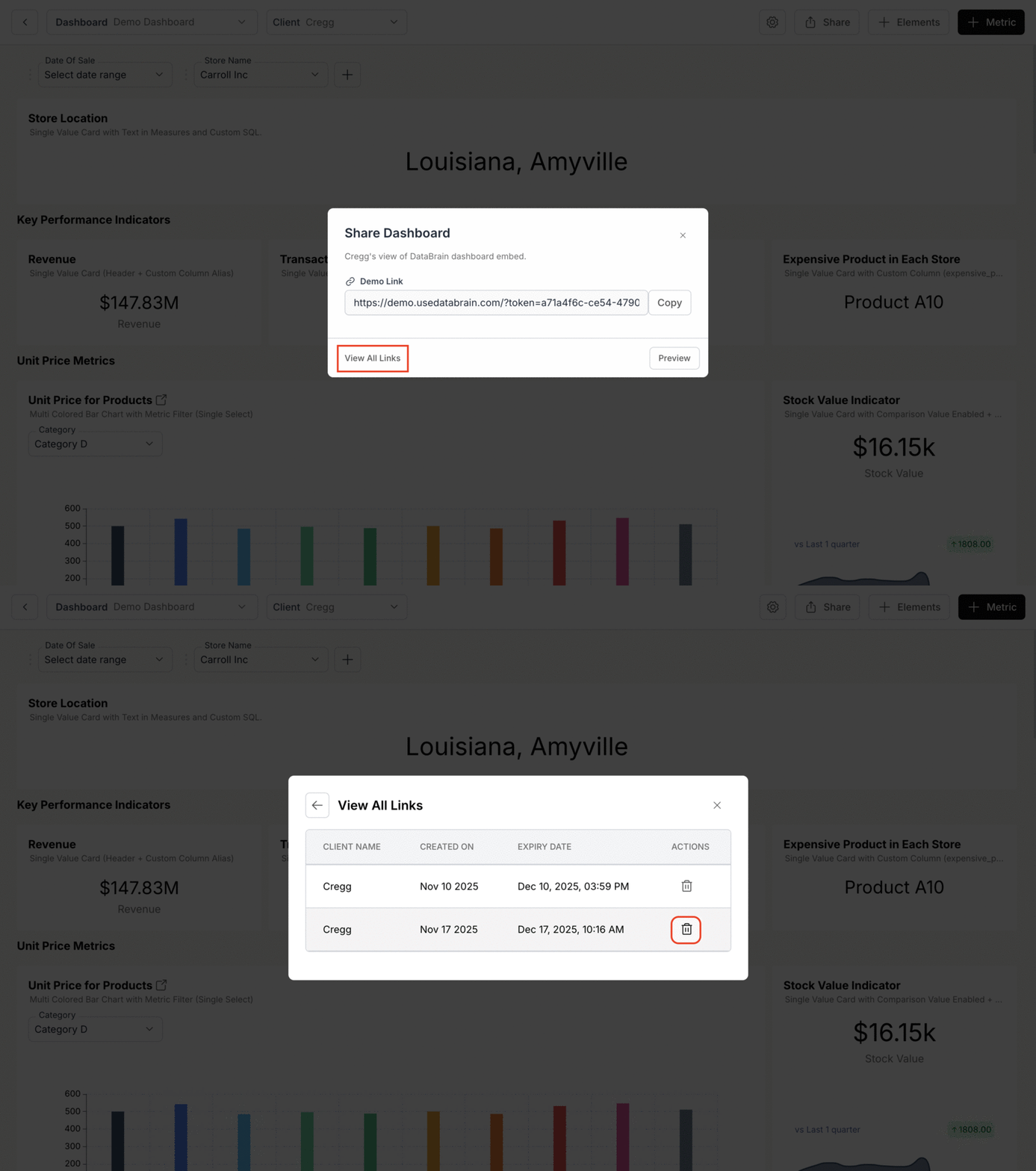
 4. **Delete preview links**
* Click the **"Share"** icon near the **settings** icon (top-right corner).
* Select **"View All Links"** to see active shared links.
* Delete any links that are no longer needed.
4. **Delete preview links**
* Click the **"Share"** icon near the **settings** icon (top-right corner).
* Select **"View All Links"** to see active shared links.
* Delete any links that are no longer needed.
 Dashboard shared successfully. Your link is active with the configured access controls.