> ## Documentation Index
> Fetch the complete documentation index at: https://docs.usedatabrain.com/llms.txt
> Use this file to discover all available pages before exploring further.
# Metric Filter - Custom
> Create a Custom Dashboard/Metric Filter: Quick Instruction Manual
### Create a Metric Filter
Begin by creating a new metric filter within your dashboard.
### Write a Custom SQL Query
Create a SQL query to retrieve the data you need for dropdown options. For example:
```sql theme={"dark"}
SELECT
"country" AS "countryname"
FROM
"public"."table"
```
### Mention the Alias in the Option
In your filter options, refer to the alias `countryname` that you used in your SQL query.

 ***
### Navigate to "Apply On" Section
Go to the "Apply On" section of the dashboard filter settings.
***
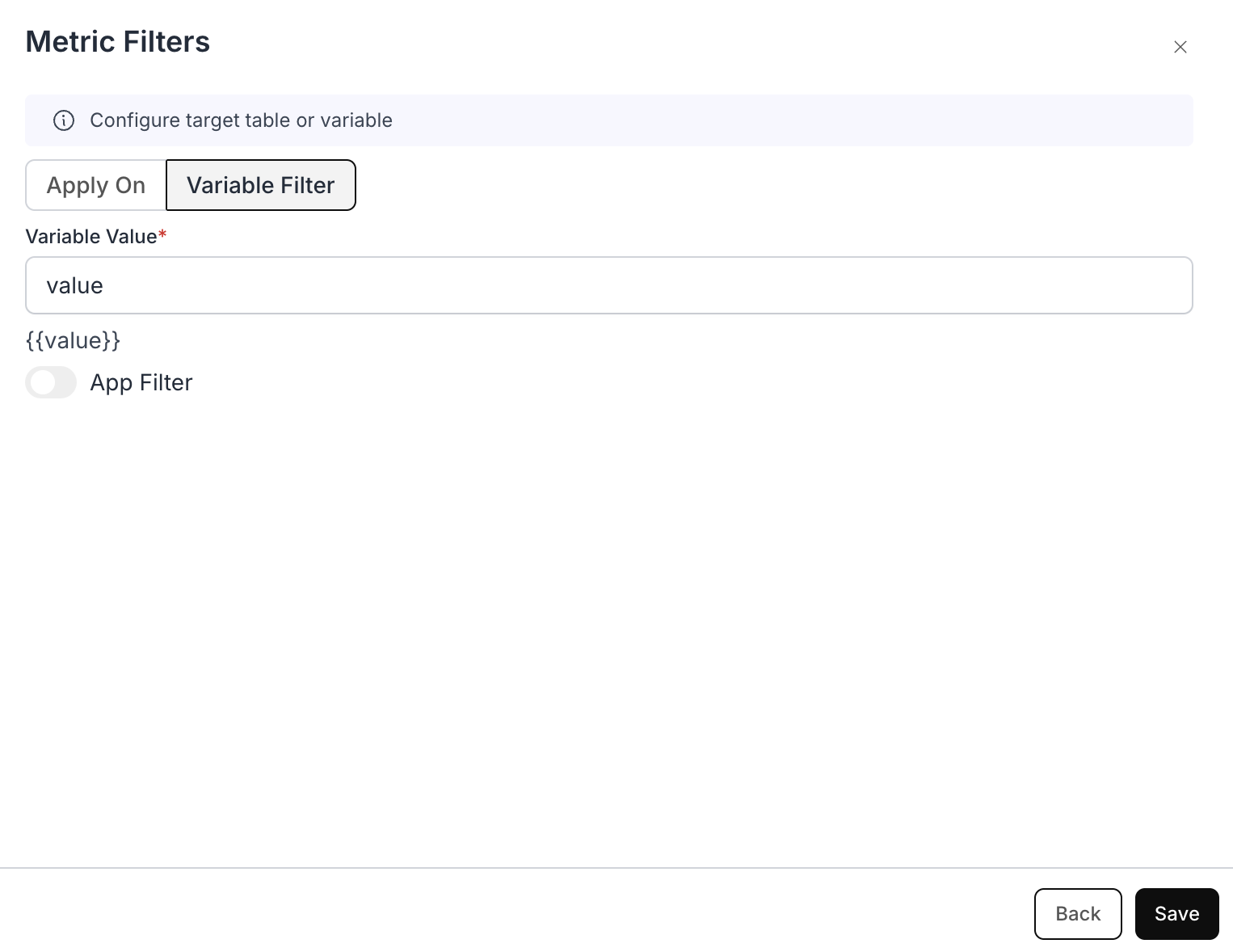
### Assign Variable Name
* Assign a variable name, for example, `{{value}}`.
* Copy the variable `{{value}}` for use in your custom SQL query.
***
### Navigate to "Apply On" Section
Go to the "Apply On" section of the dashboard filter settings.
***
### Assign Variable Name
* Assign a variable name, for example, `{{value}}`.
* Copy the variable `{{value}}` for use in your custom SQL query.
 ### Example Custom SQL Query with Variable Filter
1.Write Your Custom SQL:
Start by writing a basic SQL query without the filter.
```sql theme={"dark"}
SELECT
"country" AS "country",
"population" AS "population"
FROM
"public"."table"
```
2.Integrate the Variable Filter:
Modify your SQL to include the variable filter.
```sql theme={"dark"}
SELECT
"country" AS "country",
"population" AS "population"
FROM
"public"."table"
WHERE
"country" = {{value}}
```
3.Resulting SQL Generated:
The resulting SQL generated by the system will incorporate your variable filter in the final output.
```sql theme={"dark"}
SELECT
"country" AS "country",
"population" AS "population"
FROM
(
SELECT
"country" AS "country",
"population" AS "population"
FROM
"public"."table"
WHERE
"country" = {{value}}
) AS "dbn_sql_table"
```
### Example Custom SQL Query with Variable Filter
1.Write Your Custom SQL:
Start by writing a basic SQL query without the filter.
```sql theme={"dark"}
SELECT
"country" AS "country",
"population" AS "population"
FROM
"public"."table"
```
2.Integrate the Variable Filter:
Modify your SQL to include the variable filter.
```sql theme={"dark"}
SELECT
"country" AS "country",
"population" AS "population"
FROM
"public"."table"
WHERE
"country" = {{value}}
```
3.Resulting SQL Generated:
The resulting SQL generated by the system will incorporate your variable filter in the final output.
```sql theme={"dark"}
SELECT
"country" AS "country",
"population" AS "population"
FROM
(
SELECT
"country" AS "country",
"population" AS "population"
FROM
"public"."table"
WHERE
"country" = {{value}}
) AS "dbn_sql_table"
```