> ## Documentation Index
> Fetch the complete documentation index at: https://docs.usedatabrain.com/llms.txt
> Use this file to discover all available pages before exploring further.
# Metric Filter - Variable
> Variable Filter in Metric Filter: Quick Instruction Manual
> Master dynamic filtering in Databrain with Variable Filters—your key to building flexible,
> interactive metrics. This guide demonstrates how to transform static SQL queries into dynamic
> data explorations, empowering users to filter complex datasets effortlessly.
### Using Variable Filter in Metric Filter with Custom SQL
#### Creating a Metric Filter with Variable Filter:
1. **Create Metric Filter**
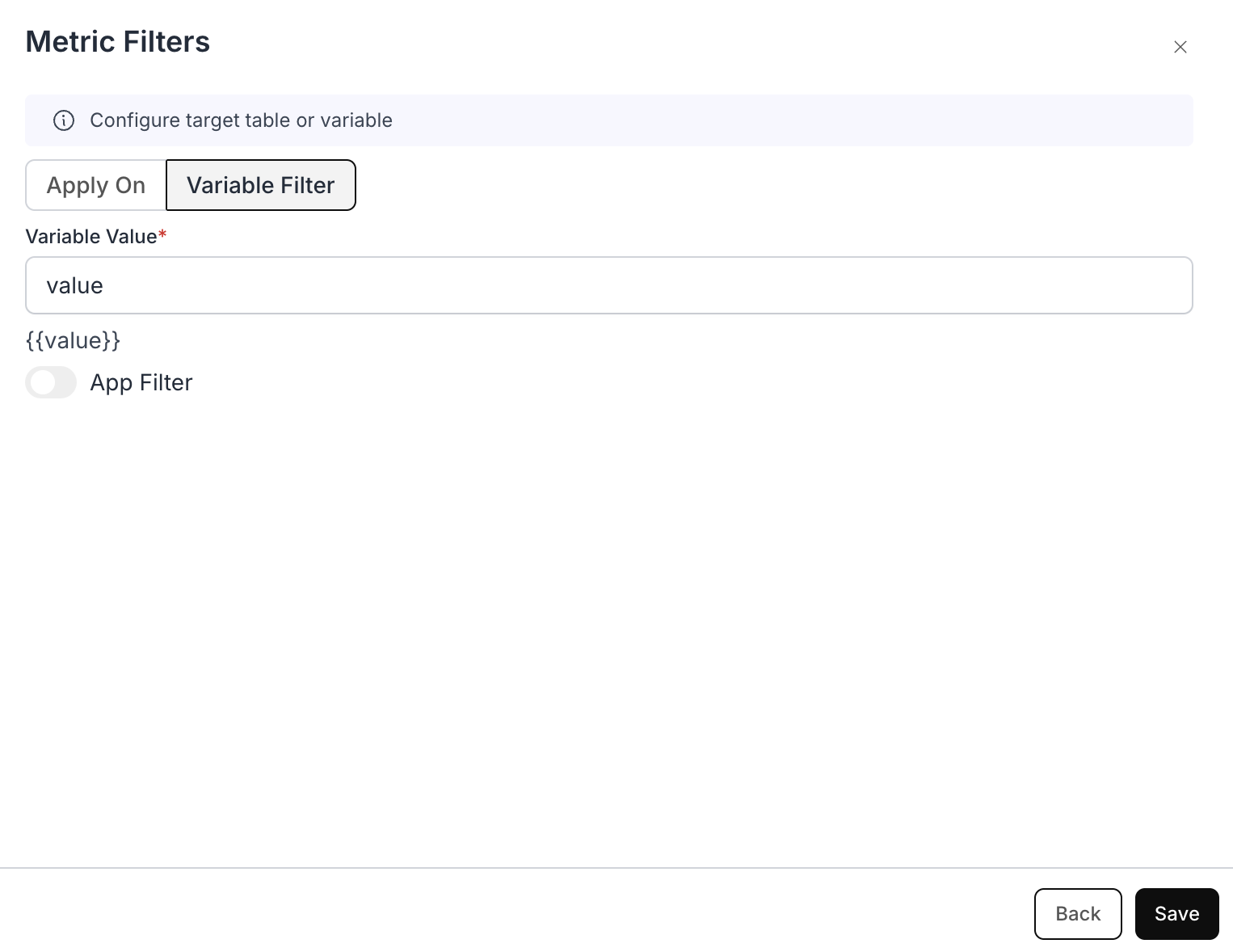
2. In the **“Apply On”** section, choose **"Variable Filter"**.
3. **Assign Variable Name**:
* Assign a variable name, for example, `{{value}}`.
* Copy the variable `{{value}}` for use in your custom SQL query.
 ### Example Use Case: Dynamic Country Population Analysis
#### Scenario:
Imagine a dashboard where analysts can quickly filter population data for different countries—without needing to modify the underlying SQL query every time.
#### Purpose of Variable Filter:
**Where to use the variable:**\
Filter variables (e.g. `{{value}}`, `{{global_value}}`) are **only valid in the WHERE clause** of your metric's SQL (and in the filter's Apply on logic). Do **not** use them in SELECT, FROM, or GROUP BY—doing so will trigger: **Error: Filter or Client variables detected in the query.** There is no built-in way to "inspect" or display the current filter value in a metric.
#### Example Custom SQL Query with Variable Filter:
* **Custom SQL you write:**
```sql theme={"dark"}
SELECT
"country" AS "country",
"population" AS "population"
FROM
"public"."table"
```
* **Custom SQL added with Variable Filter:**
```sql theme={"dark"}
SELECT
"country" AS "country",
"population" AS "population"
FROM
"public"."table"
WHERE
"country" = {{value}}
```
Then the Generated SQL we generate would look like this:
* **Resulting SQL:**
```sql theme={"dark"}
SELECT
"country" AS "country",
"population" AS "population"
FROM
(
SELECT
"country" AS "country",
"population" AS "population"
FROM
"public"."table"
WHERE
"country" = {{value}}
) AS "dbn_sql_table"
```
***
**Working:**
* The initial SQL query retrieves all country population data.
* The Variable Filter dynamically adds a condition using `{{value}}`.
* When a user selects a country from the dashboard, the filter updates the query.
* The results are filtered instantly based on the selected country.
### Example Use Case: Dynamic Country Population Analysis
#### Scenario:
Imagine a dashboard where analysts can quickly filter population data for different countries—without needing to modify the underlying SQL query every time.
#### Purpose of Variable Filter:
**Where to use the variable:**\
Filter variables (e.g. `{{value}}`, `{{global_value}}`) are **only valid in the WHERE clause** of your metric's SQL (and in the filter's Apply on logic). Do **not** use them in SELECT, FROM, or GROUP BY—doing so will trigger: **Error: Filter or Client variables detected in the query.** There is no built-in way to "inspect" or display the current filter value in a metric.
#### Example Custom SQL Query with Variable Filter:
* **Custom SQL you write:**
```sql theme={"dark"}
SELECT
"country" AS "country",
"population" AS "population"
FROM
"public"."table"
```
* **Custom SQL added with Variable Filter:**
```sql theme={"dark"}
SELECT
"country" AS "country",
"population" AS "population"
FROM
"public"."table"
WHERE
"country" = {{value}}
```
Then the Generated SQL we generate would look like this:
* **Resulting SQL:**
```sql theme={"dark"}
SELECT
"country" AS "country",
"population" AS "population"
FROM
(
SELECT
"country" AS "country",
"population" AS "population"
FROM
"public"."table"
WHERE
"country" = {{value}}
) AS "dbn_sql_table"
```
***
**Working:**
* The initial SQL query retrieves all country population data.
* The Variable Filter dynamically adds a condition using `{{value}}`.
* When a user selects a country from the dashboard, the filter updates the query.
* The results are filtered instantly based on the selected country.