> ## Documentation Index
> Fetch the complete documentation index at: https://docs.usedatabrain.com/llms.txt
> Use this file to discover all available pages before exploring further.
# Download Underlying Data
> This guide provides a straightforward process for accessing and downloading underlying data from a dashboard, allowing users to analyse metrics in detail.
1. **Access Metric**\
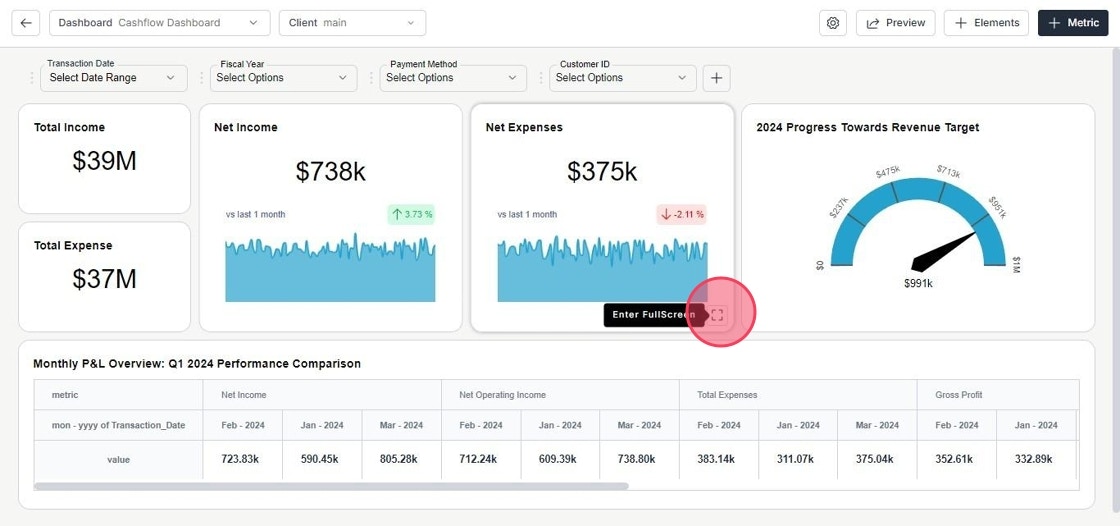
Navigate to the dashboard and view the metric in full screen mode.
 2. **Download Underlying Data**\

Click on **Download** icon to export the underlying data. You can choose whether to include or exclude any filters applied.
2. **Download Underlying Data**\
Click on **Download** icon to export the underlying data. You can choose whether to include or exclude any filters applied.