> ## Documentation Index
> Fetch the complete documentation index at: https://docs.usedatabrain.com/llms.txt
> Use this file to discover all available pages before exploring further.
# View Unpublished Metrics
> Monitor and identify metrics that are in draft mode before they are published to dashboards. This guide provides step-by-step instructions to help you locate unpublished metrics in your workspace.
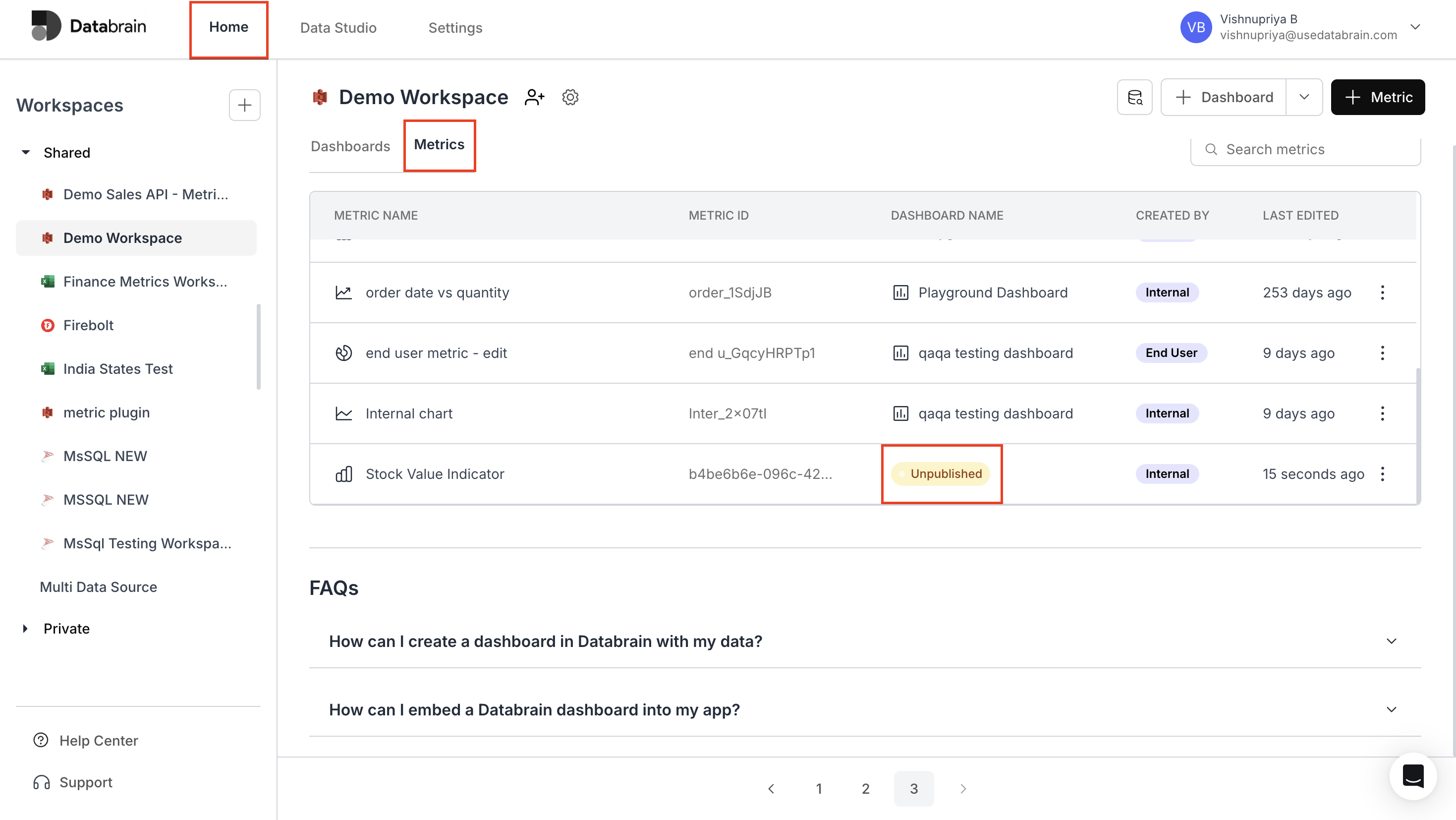
1. **From the `Home` page**, navigate to your desired workspace.
2. Click the **Metrics** tab in the main navigation area.
3. The complete list of metrics will be displayed in a table format:
* Each row shows the metric name, ID, associated dashboard, and last edited date.
* Any metrics marked as **'Unpublished'** in the Dashboard Name column indicate they have not been published to dashboards yet.
 Regular monitoring of unpublished metrics helps maintain an organized workflow in your dashboard development process.