> ## Documentation Index
> Fetch the complete documentation index at: https://docs.usedatabrain.com/llms.txt
> Use this file to discover all available pages before exploring further.
# Create a Dashboard
> This guide provides a straightforward process for creating a private workspace. This feature enhances privacy and allows for focused work without visibility constraints.
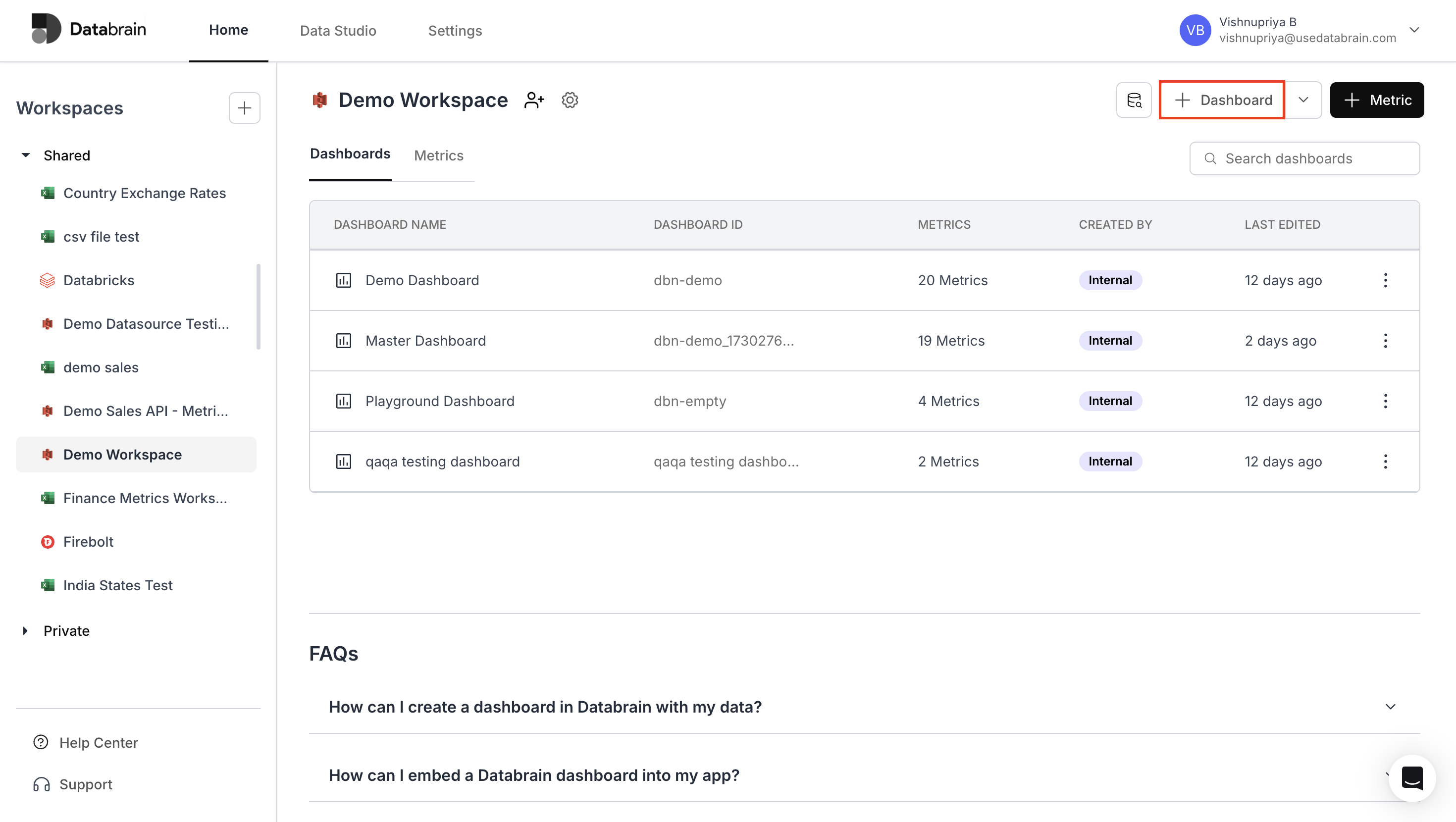
On the **Home** page, click on the **"+ Dashboard"** button located below your account name.
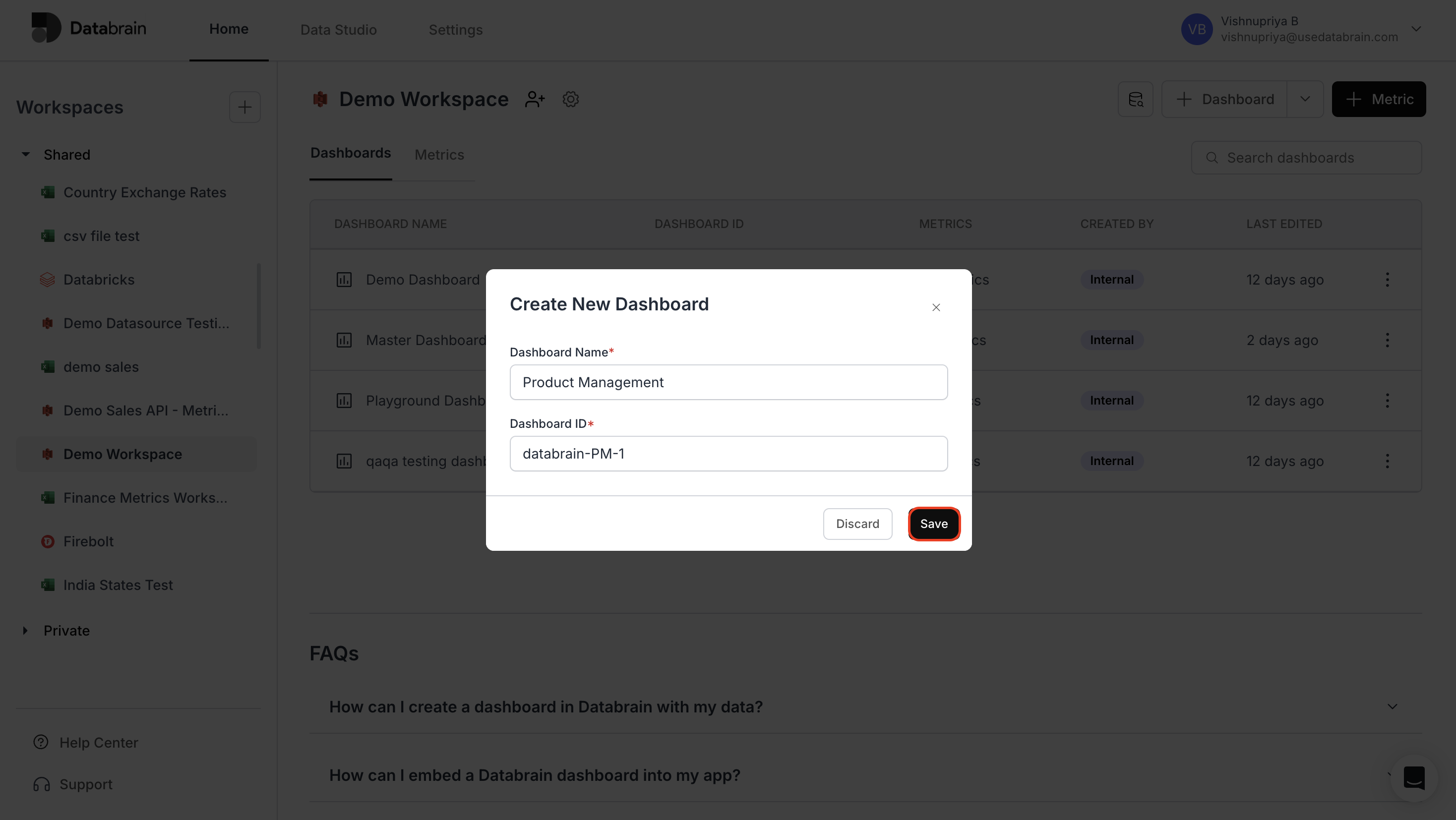
 * In the **"Dashboard Name"** field, enter a suitable title for your new dashboard.
* In the **"Dashboard ID"** field, input a unique ID for the dashboard.
* Finally, click **"Save"** to create the dashboard.
* In the **"Dashboard Name"** field, enter a suitable title for your new dashboard.
* In the **"Dashboard ID"** field, input a unique ID for the dashboard.
* Finally, click **"Save"** to create the dashboard.
 Your dashboard is now created and can be viewed in the **"Dashboards"** section!
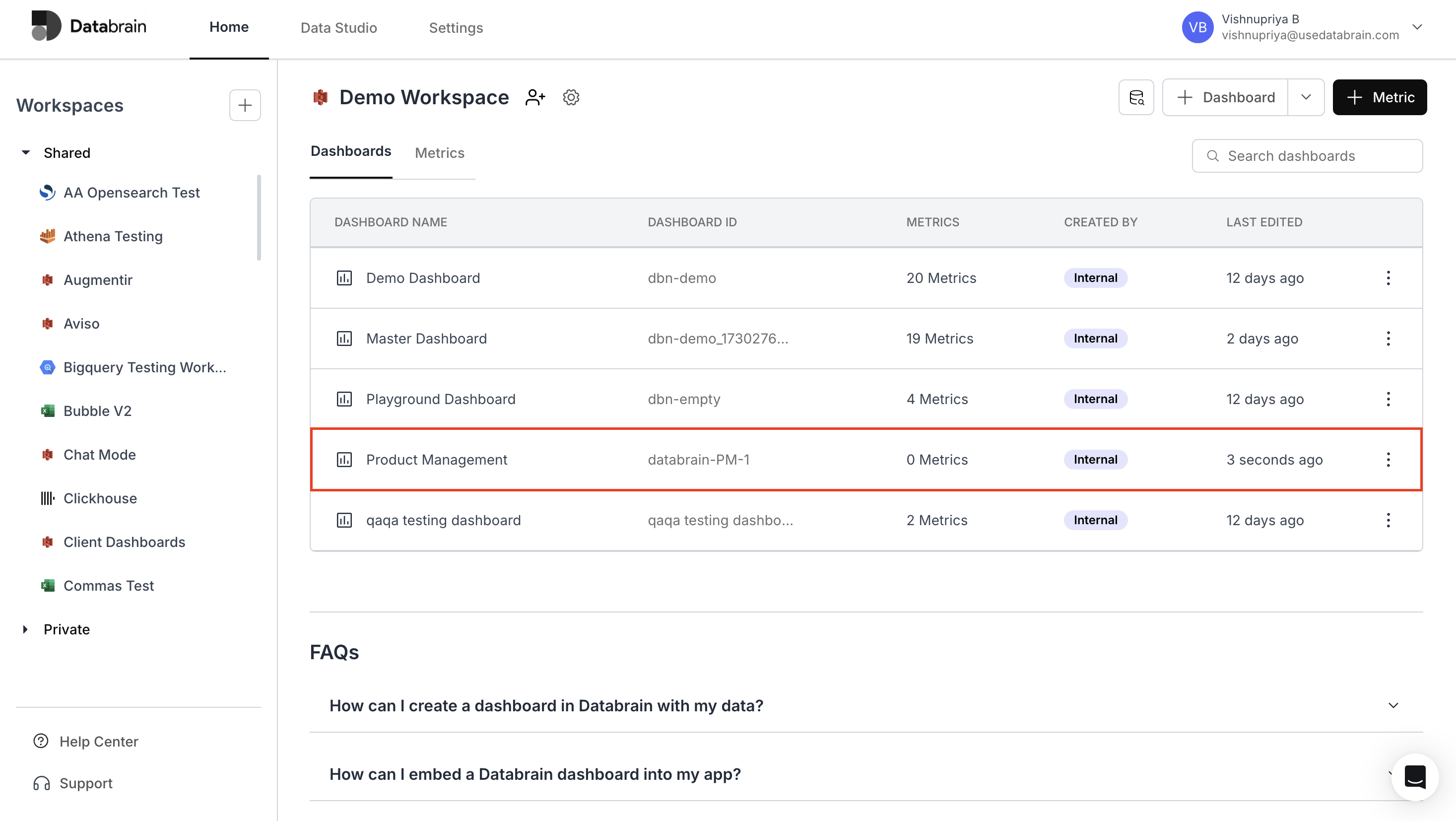 Your dashboard has been successfully created and is now available in your workspace for further customization and metric building.