> ## Documentation Index
> Fetch the complete documentation index at: https://docs.usedatabrain.com/llms.txt
> Use this file to discover all available pages before exploring further.
# Explore Data
> This guide provides a overview of how to explore and manage data within the platform. It is used to easily navigate and familiarize with your tables with sort, filter, and search functionalities.
## Access Explore Data
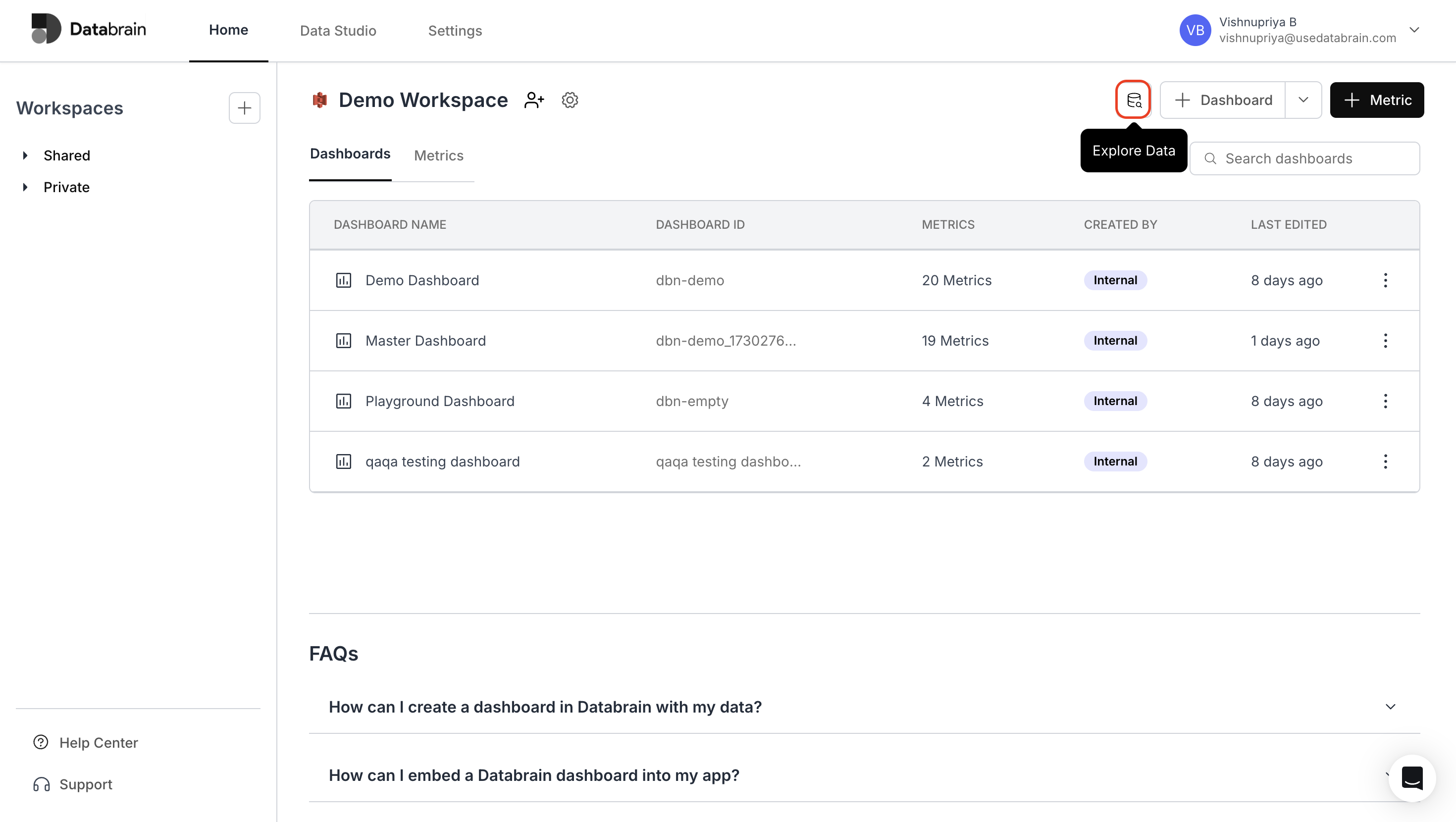
Navigate to the Home page and click the **"Explore Data"** button located next to the **"+ Dashboard"** button.
 ## View Data Tables
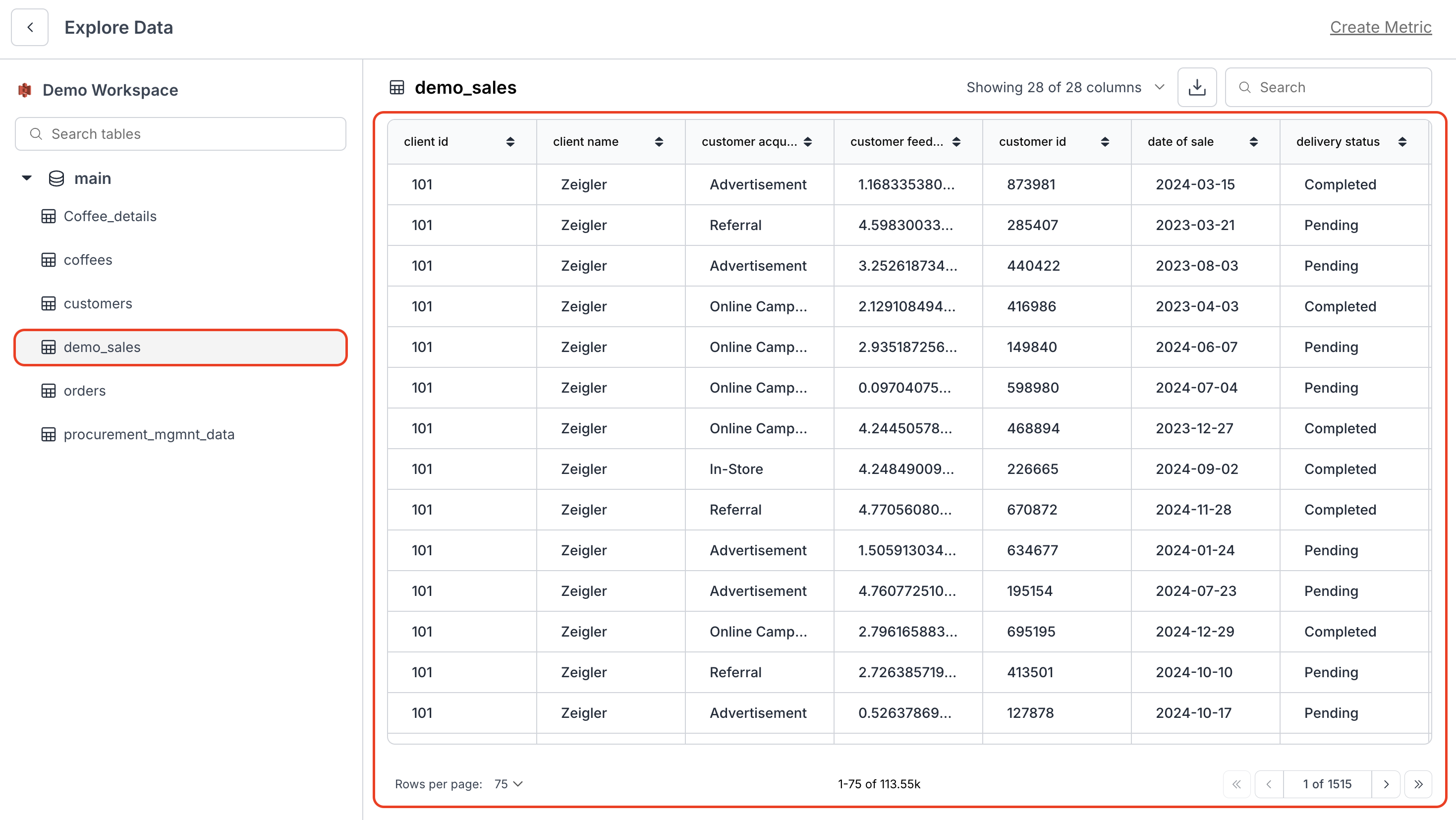
* Select your desired table from the left navigation panel.
* Tables are organized under the **"main"** section for easy access.
## View Data Tables
* Select your desired table from the left navigation panel.
* Tables are organized under the **"main"** section for easy access.
 ### Table Operations
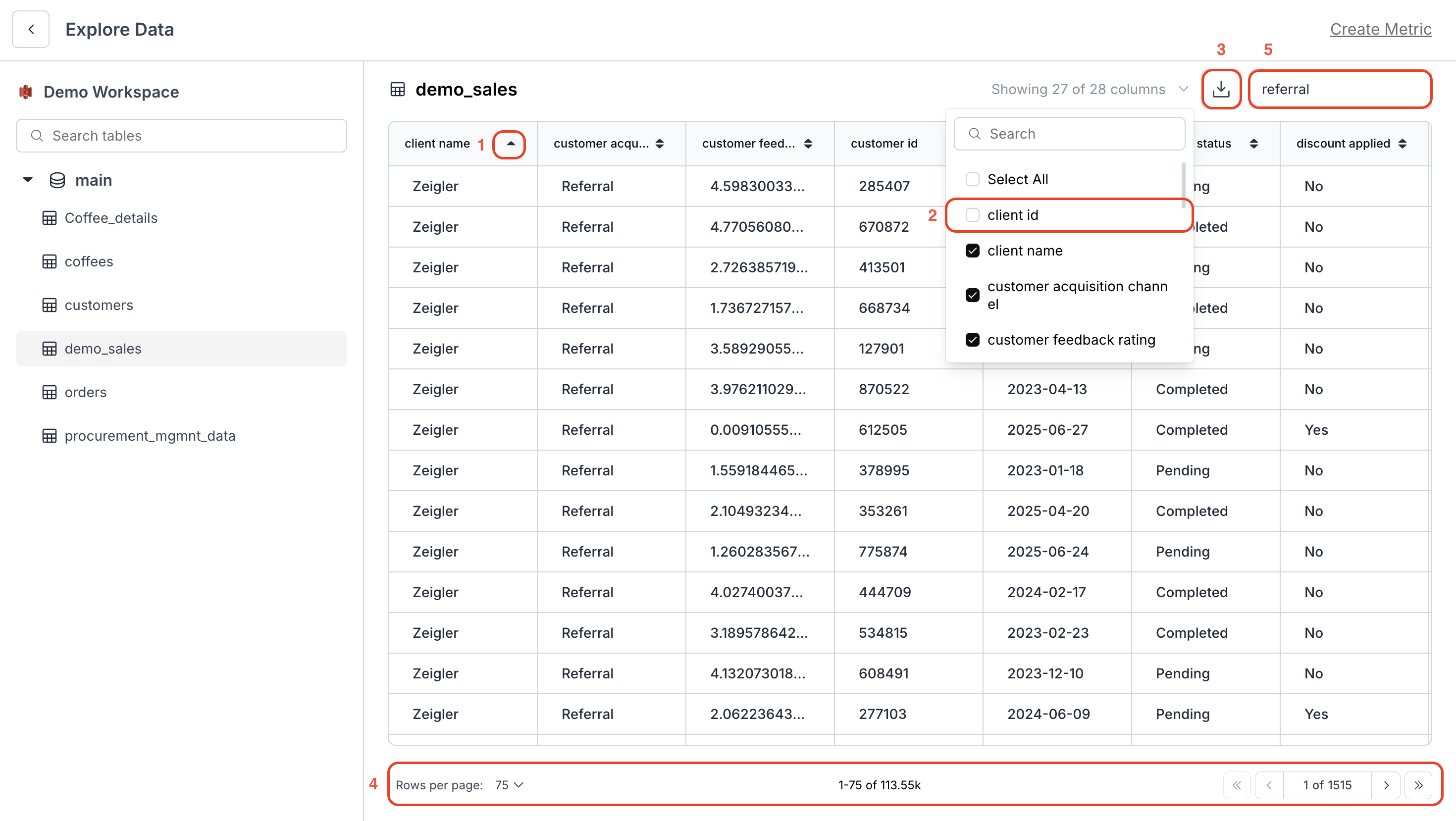
1. **Sort Data**
* Click the arrow icon (↑↓) next to any column header to sort in ascending or descending order.
2. **Customize Columns**
* Use the column selector to show/hide specific columns.
* Click **"Select All"** for quick column management.
3. **Download Data**
* Click the download icon (↓) in the top-right corner to export data as CSV.
4. **Navigation**
* Use the pagination controls at the bottom to move between pages.
5. **Search Records**
* Use the search bar at the top to filter data across all columns.
### Table Operations
1. **Sort Data**
* Click the arrow icon (↑↓) next to any column header to sort in ascending or descending order.
2. **Customize Columns**
* Use the column selector to show/hide specific columns.
* Click **"Select All"** for quick column management.
3. **Download Data**
* Click the download icon (↓) in the top-right corner to export data as CSV.
4. **Navigation**
* Use the pagination controls at the bottom to move between pages.
5. **Search Records**
* Use the search bar at the top to filter data across all columns.
 You’ve successfully explored and managed your data in Databrain!\
You can now sort, filter, search, and export tables effortlessly — giving you complete control and visibility over your data for faster analysis.
You’ve successfully explored and managed your data in Databrain!\
You can now sort, filter, search, and export tables effortlessly — giving you complete control and visibility over your data for faster analysis.