> ## Documentation Index
> Fetch the complete documentation index at: https://docs.usedatabrain.com/llms.txt
> Use this file to discover all available pages before exploring further.
# Download Settings
## Download Settings
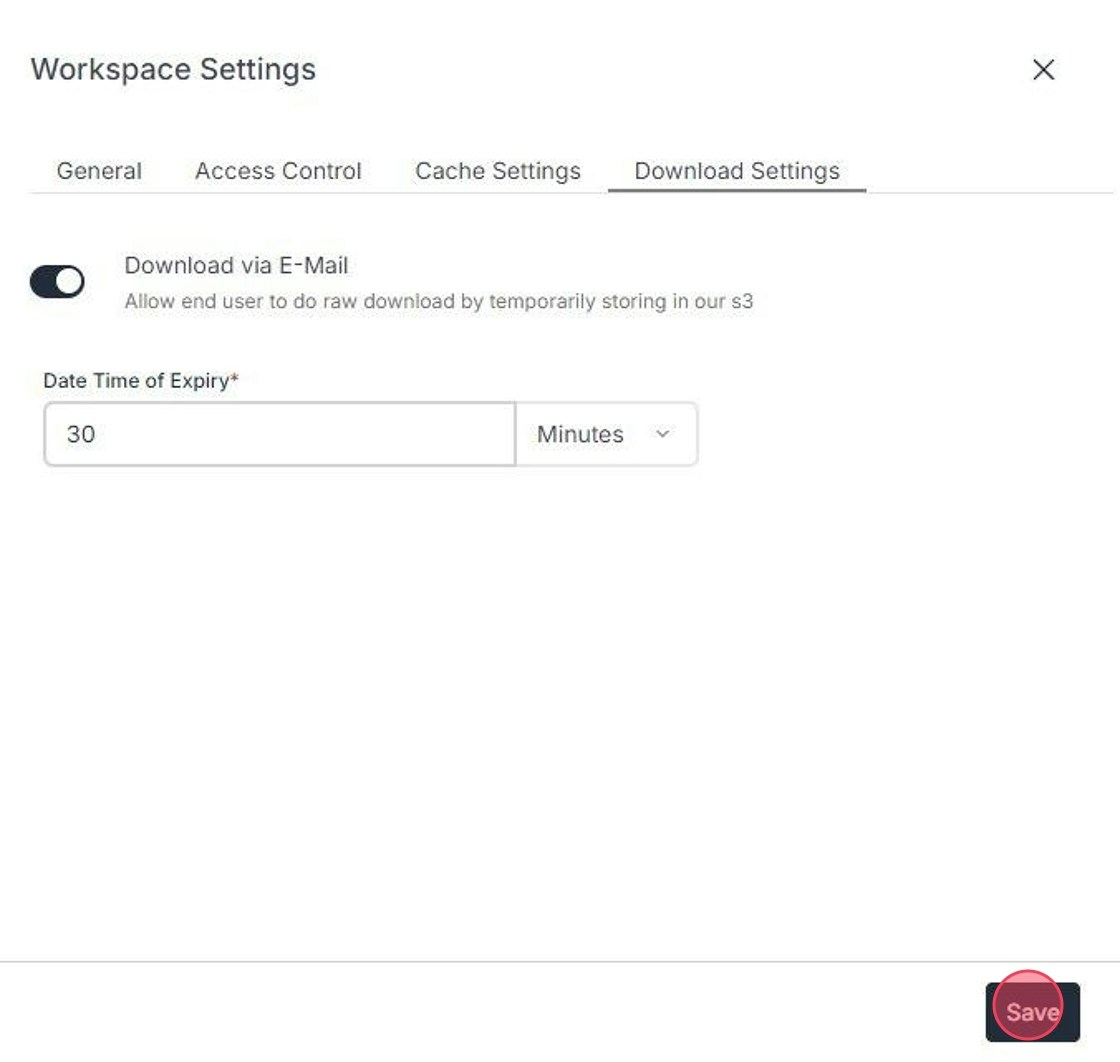
**Configure Download Settings:**
Under **"Download Settings"** tab:
* Toggle **"Download via E-Mail"** to enable or disable downloading raw data.
* Control users' ability to download raw data. This is achieved by temporarily storing data in our S3 bucket for a designated duration.
* Finally, click on **"Save"** button to ensure a tailored workspace experience in DataBrain.