> ## Documentation Index
> Fetch the complete documentation index at: https://docs.usedatabrain.com/llms.txt
> Use this file to discover all available pages before exploring further.
# Chart Click Action
> This guide provides an approach to configuring interactive chart click. The elements or data points of the chart are now clickable, and the action will lead to the route configured by you.
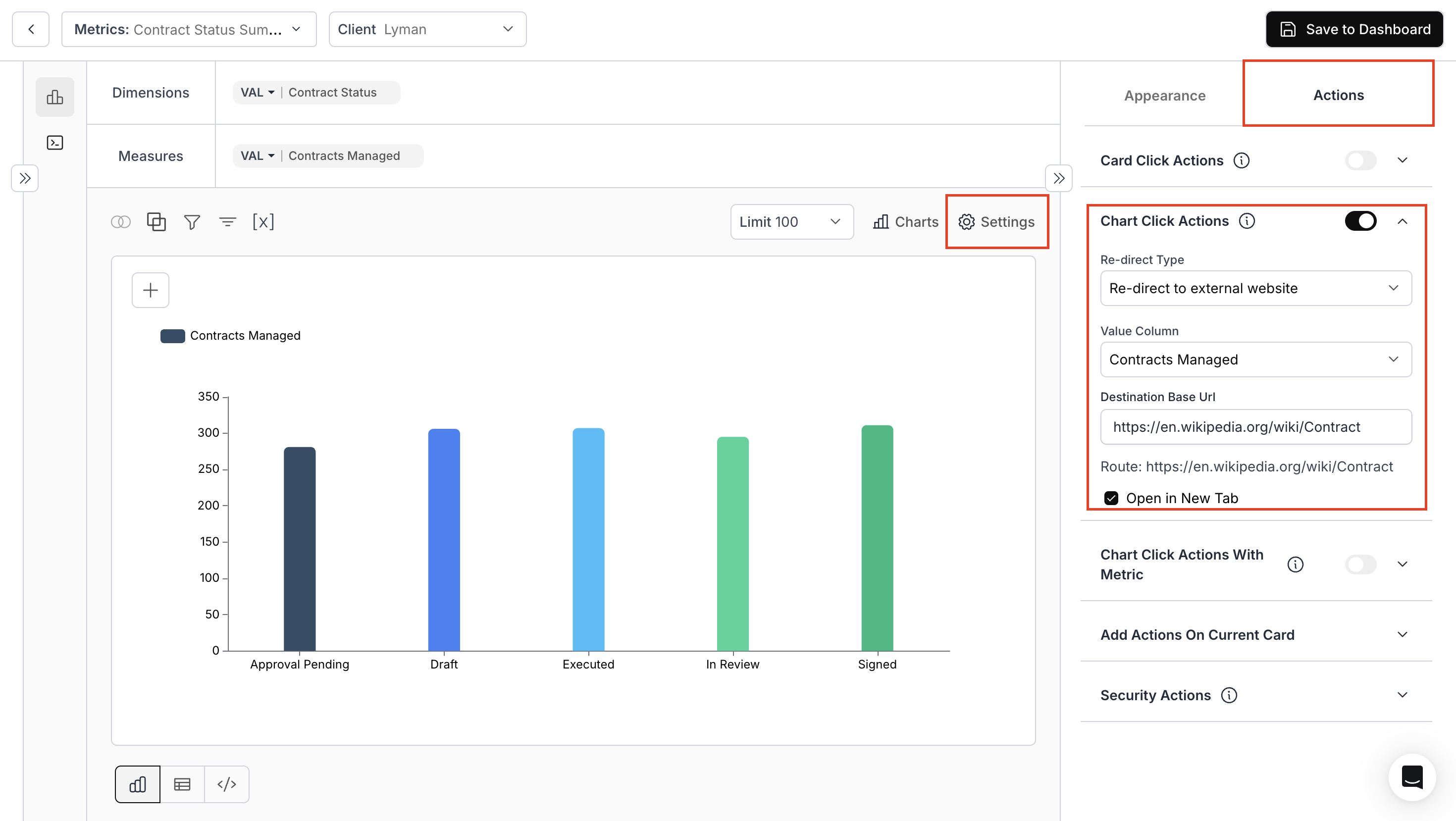
### 1. **Access & Confifgure Chart Click Action**
* Navigate to the **"Appearance and Actions"** section and toggle **"Chart Click Action"**.
* **Re-Direct Type**: Specify the route for navigation: external or internal
* **Value Column**: Specify the column
* **Destination base URL**: Use variable values for URL parameters.
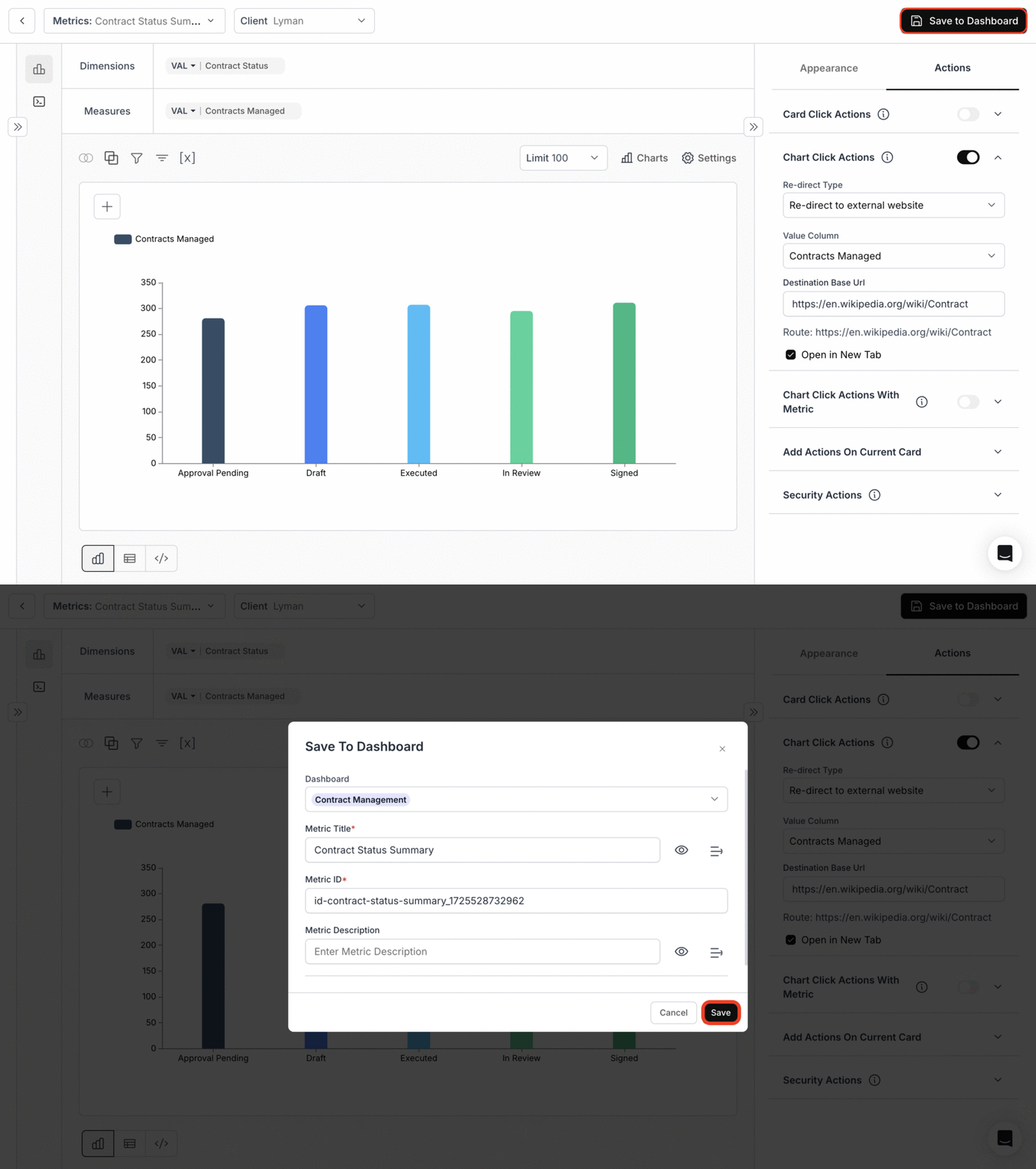
 ### 2. **Save metric to the Dashboard**
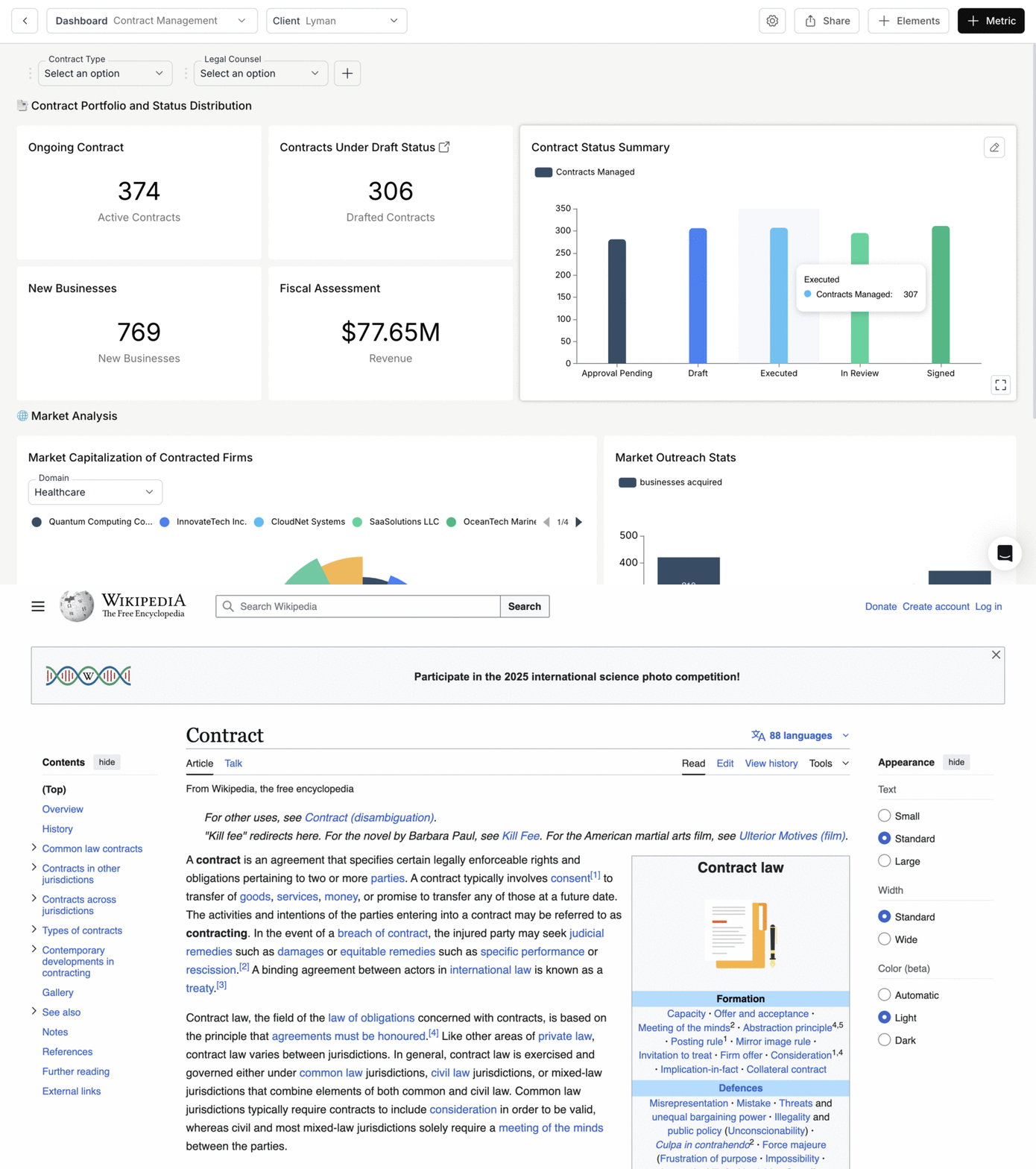
 ### 3. **Chart Click Action in Dashboard**
Clicking on the bar of any contract status will take you to the specified URL.
### 3. **Chart Click Action in Dashboard**
Clicking on the bar of any contract status will take you to the specified URL.
 **By following these steps, you can set up and utilize the chart click action to navigate users to the specified routes upon interaction with the chart.**
You’ve successfully configured Chart Click Action!\
Your charts are now interactive, enabling seamless navigation and richer user experiences directly from visual elements.
**By following these steps, you can set up and utilize the chart click action to navigate users to the specified routes upon interaction with the chart.**
You’ve successfully configured Chart Click Action!\
Your charts are now interactive, enabling seamless navigation and richer user experiences directly from visual elements.