

Organization
Fix risky setups with the Migration assistant
Find setups that can show a client too much, preview the fix, and undo it if needed.
The Migration assistant scans a workspace for setups that work by luck or are risky, for example a client column saved only on an embed, or custom SQL without a client filter. For each one it shows a preview and a one-click fix, with Undo.
Before you start
- You are an Admin.
- Databrain turned the Migration assistant on for your company. It is not part of a plan. Ask Databrain support to turn it on.
Steps
-
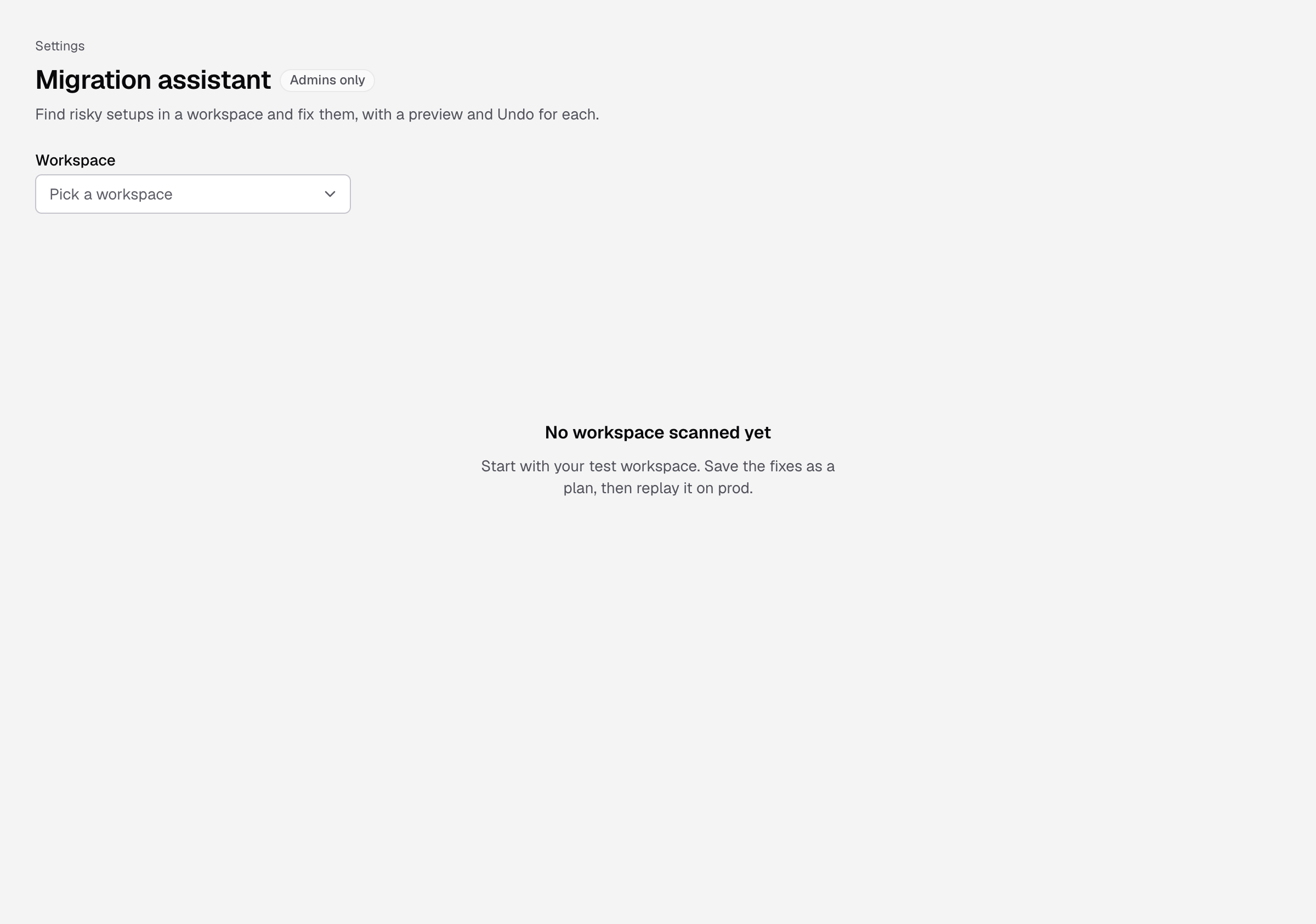
Go to Settings > Migration assistant.
-
Choose the Workspace. Start with your test workspace.

The scan starts when you pick a workspace. -
Read the findings. Each has a badge:
- Clients can see too much: fix this first.
- Works by luck: it works now, but can break.
- Tidy up: optional.
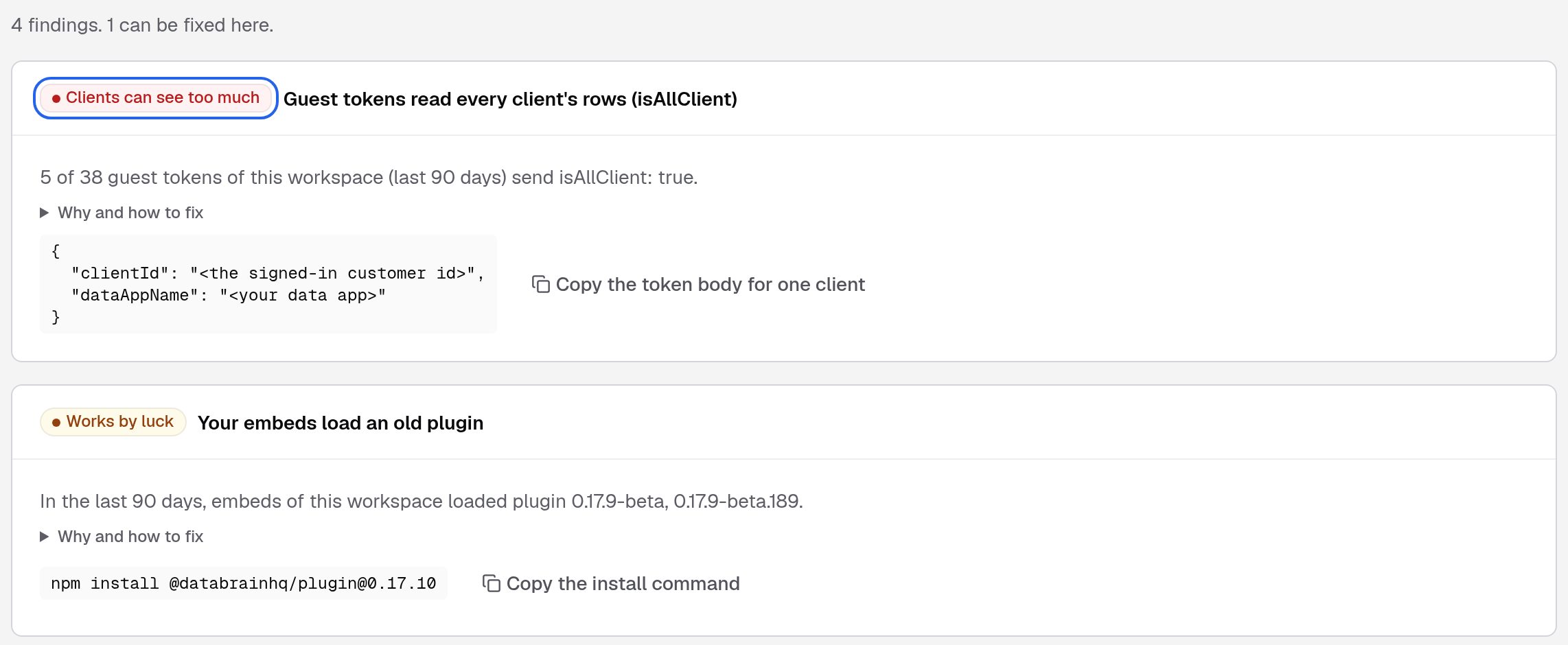
Each finding starts with its badge, then what was found. -
Select Why and how to fix to see what was found and why it matters.
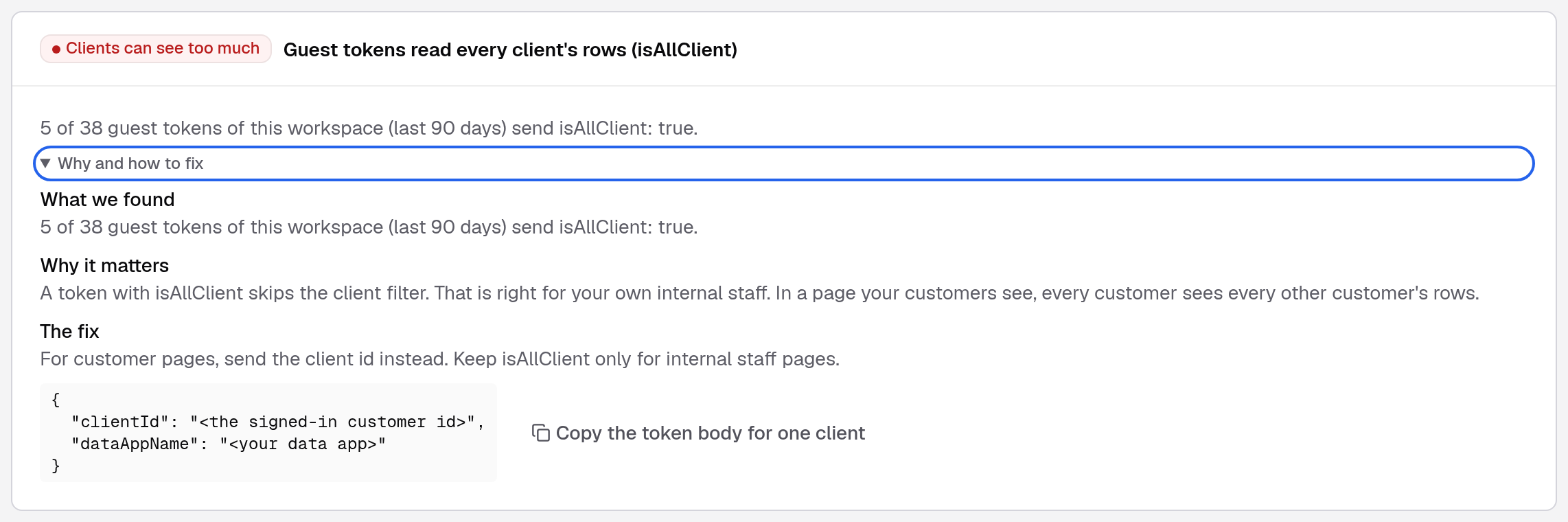
What we found, Why it matters and The fix, with a copy button. -
Select Preview fix. Nothing changes until you apply.

Preview fix shows on findings that can be fixed on this page. -
Check Who sees which rows. A green banner says No client gets more rows.
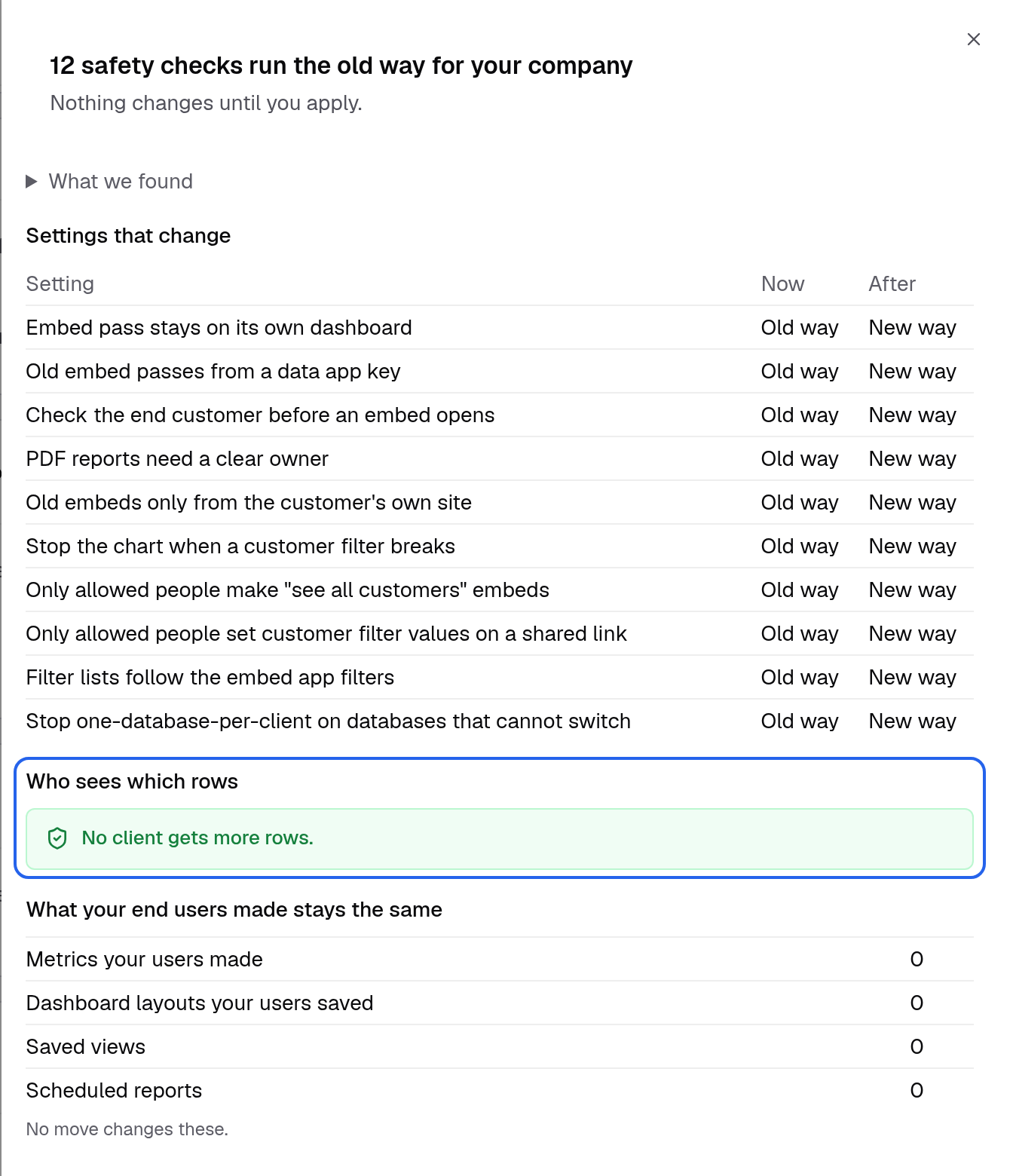
The preview lists every setting that changes, now and after. -
Select Apply.
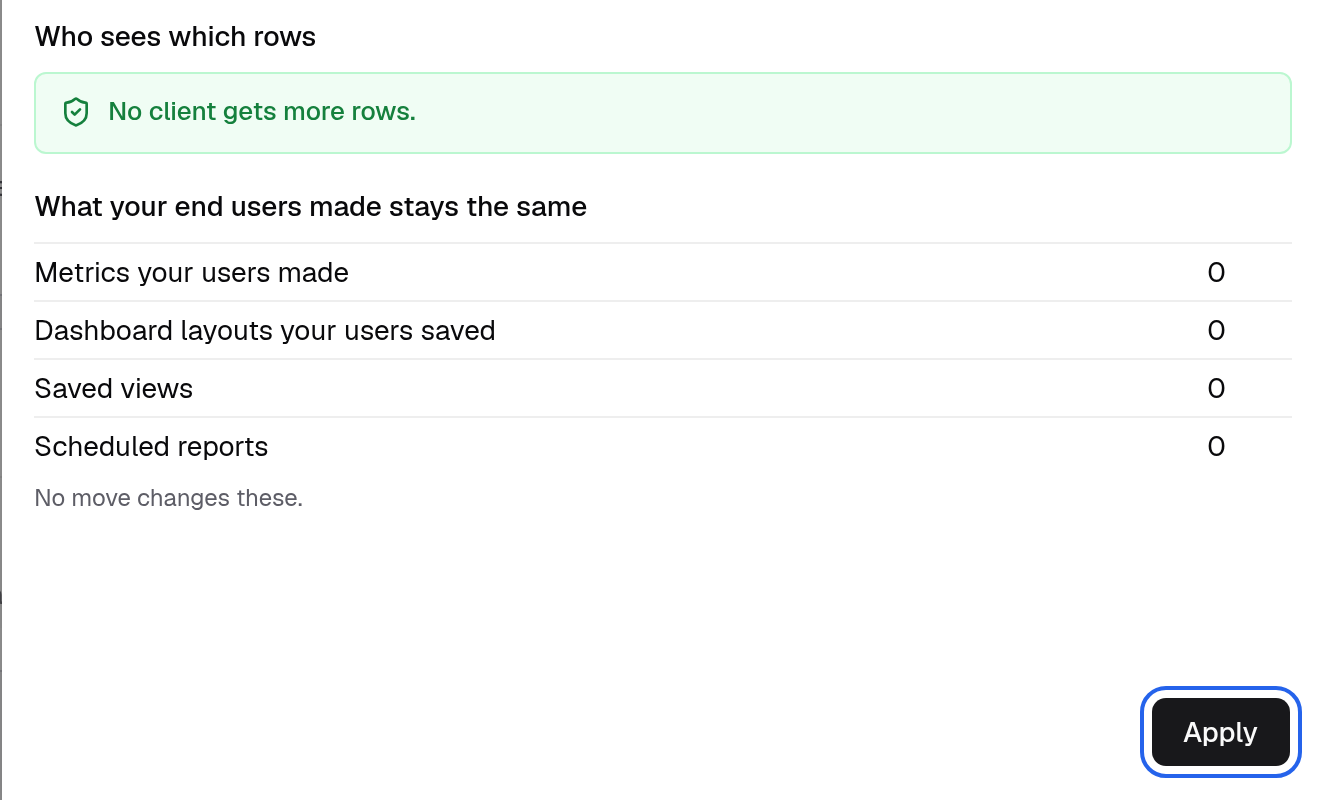
Apply is at the bottom of the preview.
You see Applied. Undo is in the history of this workspace. Some findings link to the page where you fix them instead.
Undo a move
Select Undo, then Undo the move. Undo has no time limit. It is blocked if someone changed the same settings after the move, or if it would remove a client filter.
Replay on production
Select Save plan to save the moves. Then pick the production workspace and choose the plan in Replay a plan. Each move shows a preview again before you apply it.
If something goes wrong
- This move would remove N client filter(s), so some users could see other clients’ rows. It is blocked. The fix would widen access. Fix it on its own page.
- The SQL, settings or sample checks changed. Open the preview again before you apply.
- The Migration assistant is not on for your company. Ask Databrain support.