

Token Management
Create a service token
Get a company-wide token for server-to-server API calls and MCP.
A service token works for your whole company, not one data app. Use it to manage data apps, workspaces and dashboards through the API, and to connect an MCP client. To create guest tokens, use a data app API token instead.
Before you start
- You are an Admin. A role that can create API tokens is not enough: without the permission you get “You do not have permission to create tokens.”, and as a non-Admin you get “Only an admin can create a service token.” If you cannot generate one, ask an Admin of your company to do it.
Steps
-
Go to Settings > Developers > Tokens.
-
On the Service Tokens tab, select Generate service token.
-
Enter a Name, for example
Reporting backend, and an optional Description.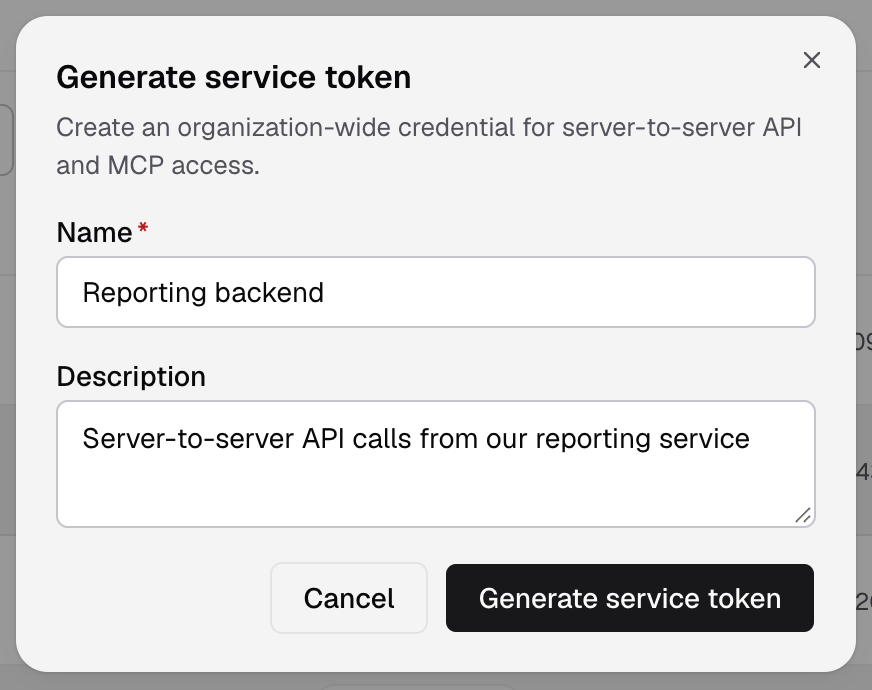
Name the token after the service that uses it. -
Select Generate service token.
-
Copy the token and save it in your secret store. You see the full token only once.
The token is in the Service Tokens list with the status Active. The list shows only its last 4 characters.
Send it as a bearer token:
curl https://api.usedatabrain.com/api/v2/data-app \
  -H "Authorization: Bearer $DATABRAIN_SERVICE_TOKEN"
Which token to use
| Task | Token |
|---|---|
| Create a guest token for an embed | Data app API token |
| Create, update, list or delete data apps, and create their API tokens | Service token. Create data app |
| Workspace APIs | Service token. Create workspace |
| Connect an MCP client | Service token. MCP server |
Legacy API Tokens
The Legacy API Tokens tab lists old company-wide API tokens. You cannot make new ones there. New API tokens belong to a data app.
If something goes wrong
- The API returns
Invalid Service Token. You sent a data app API token to a route that needs a service token. Use a token from Settings > Developers > Tokens. - You lost the token. It cannot rotate itself. An Admin rotates it with Rotate token in the app, or with
POST /api/v2/service-token/rotate-from-app. See Admin authentication flow.