

You need at least one existing Data App before you can create embeds.
1
Open the Data App in Data Studio
Navigate to Data Studio → Data Apps and select the Data App you want to create an embed for.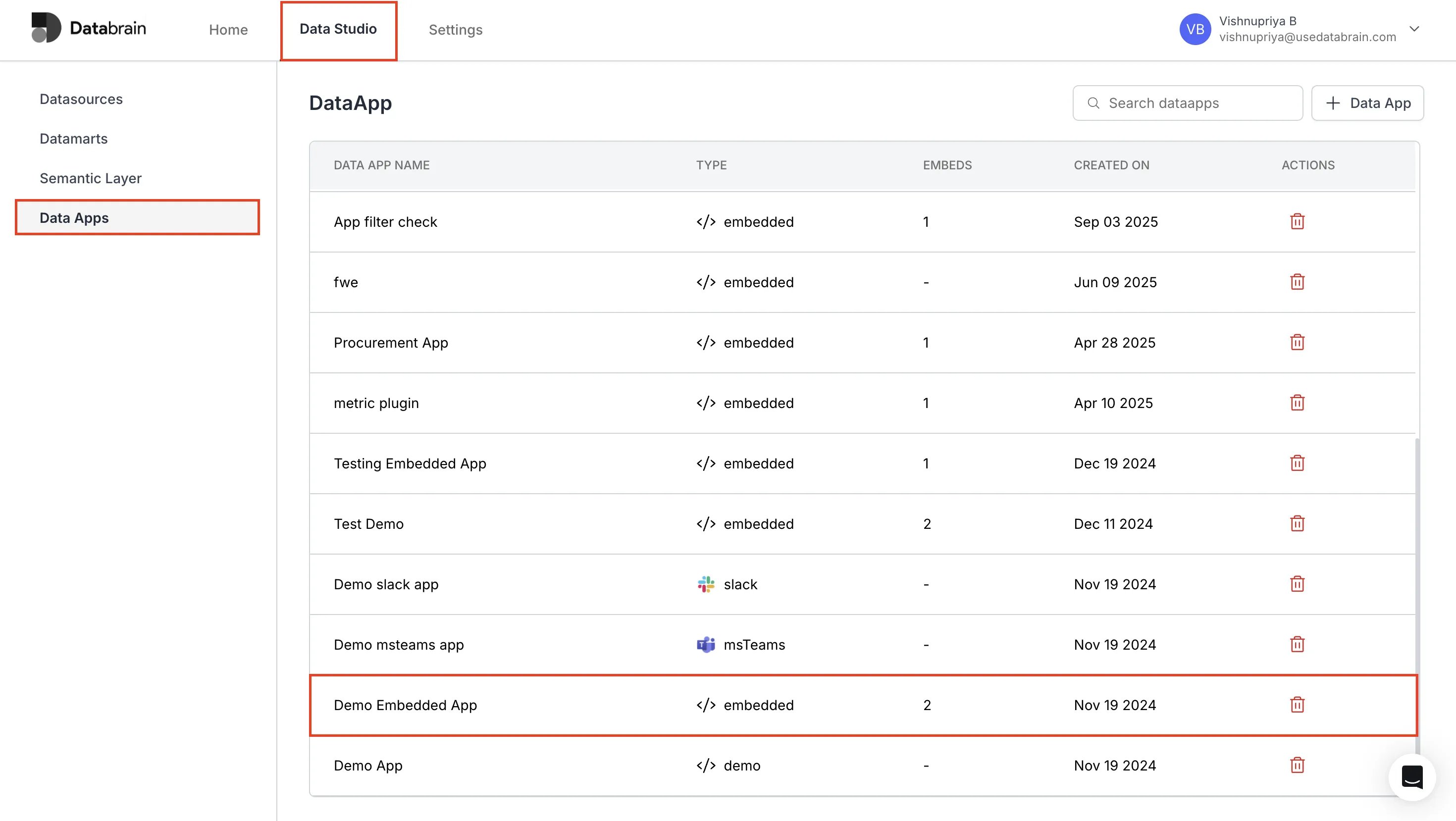
2
Add a new embed
In the Embed Info section: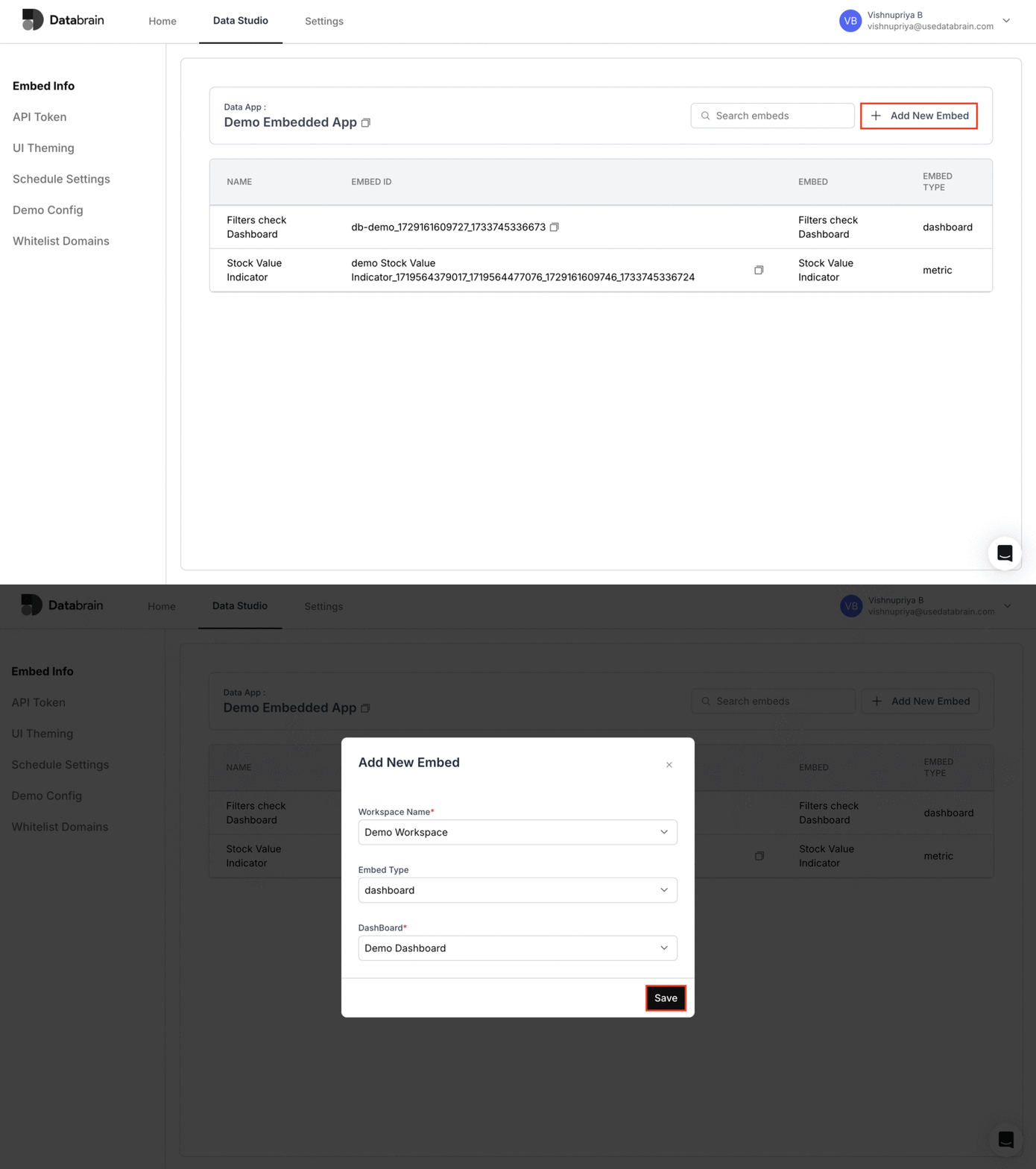
- Click the + Add New Embed button.
- Select the Workspace where the embed should point.
- Choose the Embed type (Dashboard or Metric).
- Select the specific Dashboard or Metric to embed.
- Click Save to create the embed.
3
Review and configure the embed
Once the embed is created, it appears in the Embed Info table. Click the embed name to open its settings, where you can configure: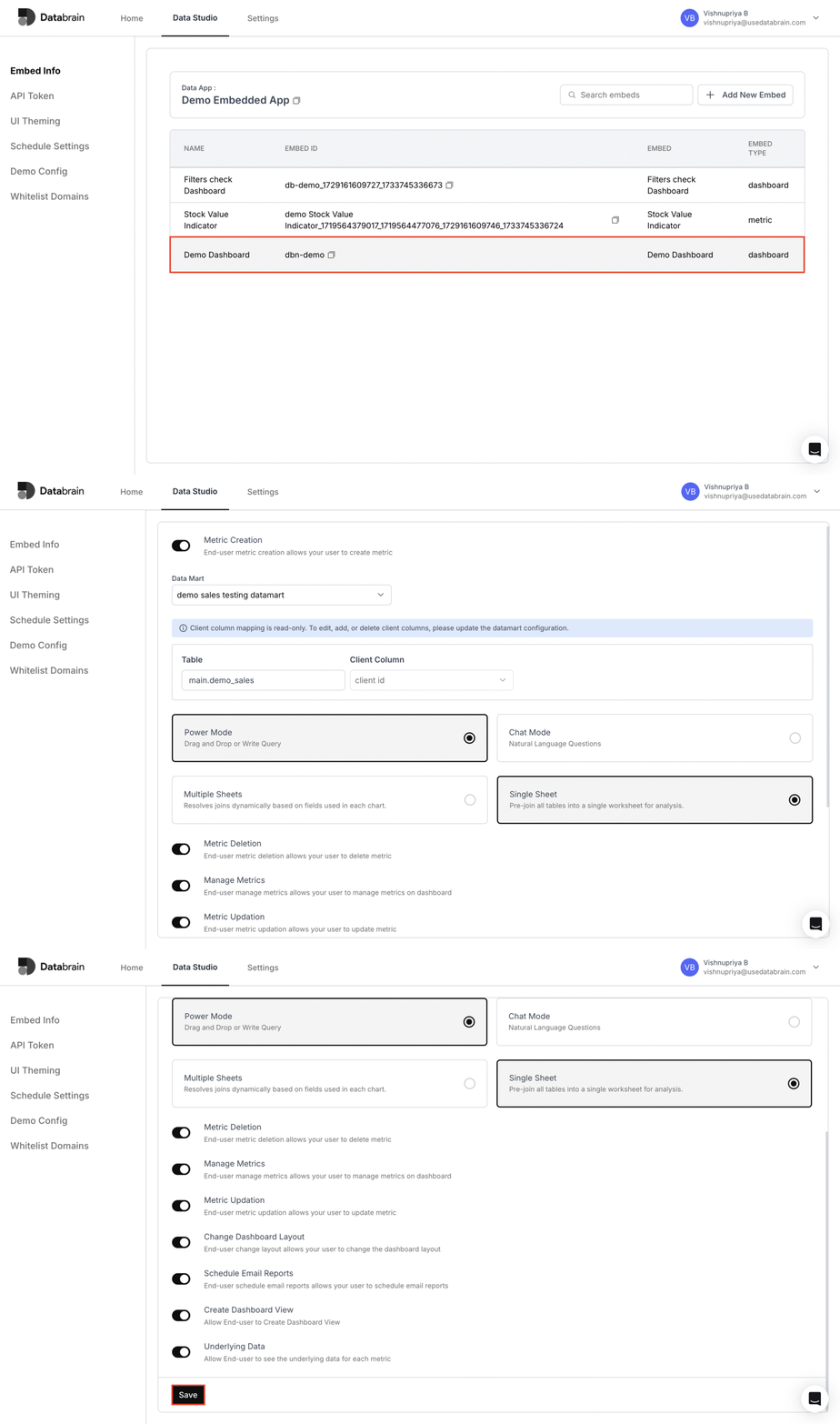
- Security and access controls
- UI behavior and layout
- Other embed preferences before using it in your application
Your embed is now ready to be used in your application. Use the embed configuration details on this page when integrating Databrain into your frontend.